
In Microsoft Teams, you will often see file previews if someone sends you a file in a chat or conversation. However, you may wish to just see a link to that file so as to not potentially show sensitive information if you’re screen sharing. There’s a setting you can use in Microsoft Teams that will allow you to turn off file previews for your Teams client. Here’s how that works…
In this example, I sent two image files to myself, and they showed up with a preview of the image:
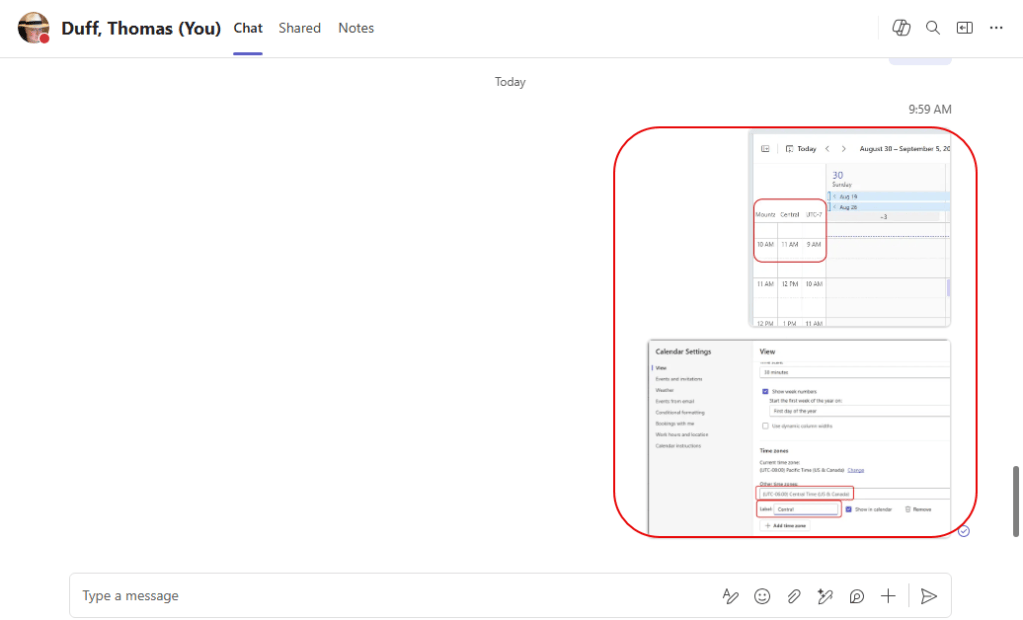
If I didn’t want those preview images, I can go into Teams settings, select File and links, and look at File previews:
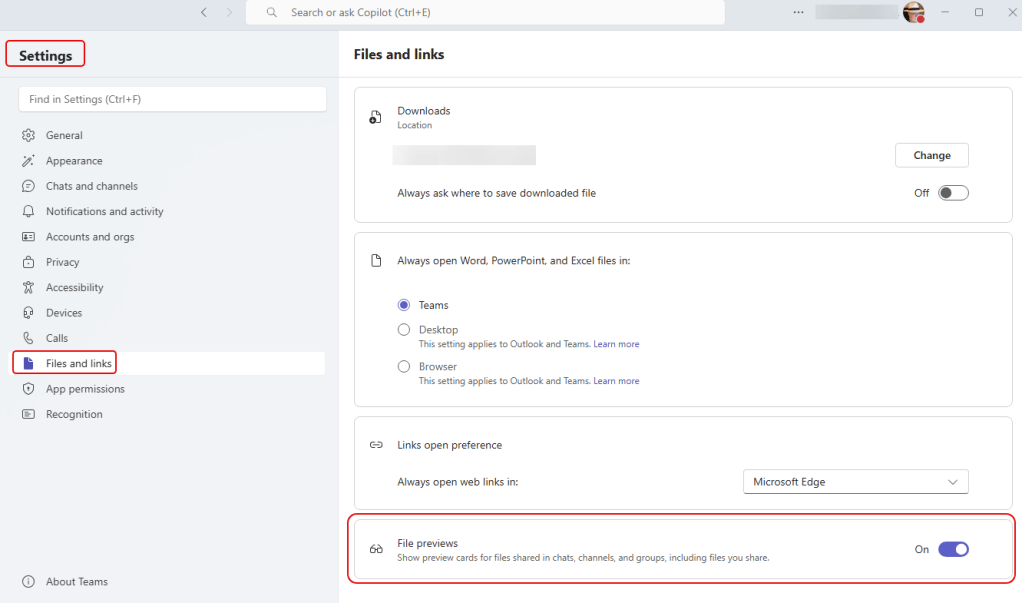
Use the toggle switch to turn off file previews:
Now when I go back to my chat, the file previews are gone, and I just have links to the files that were shared:
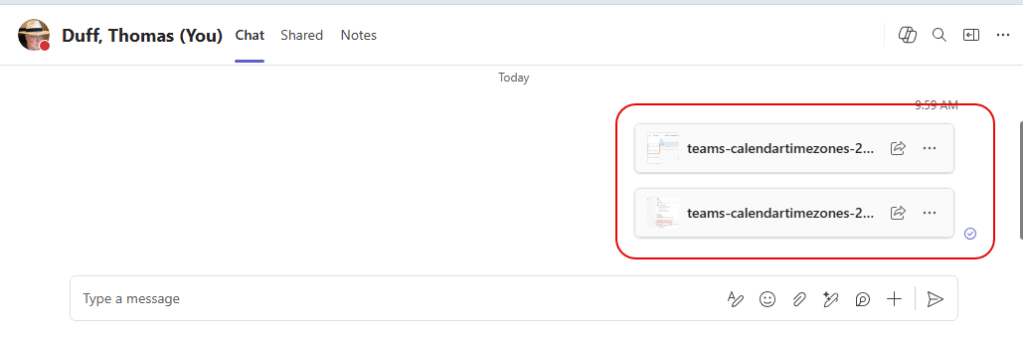
Keep in mind… this is a setting that only affects YOUR Teams client. Others will still see the file previews if they don’t change the setting.


