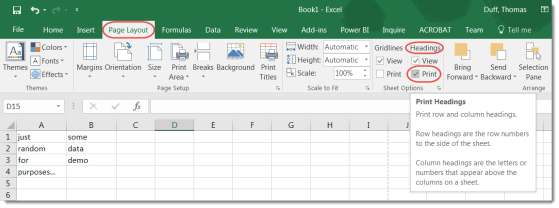
Most of the time when you print a spreadsheet, you only want to see the data, not the letters for each column and the numbers for each row. However, there is a way to get the letters and numbers to show up if you need them on your printout.
Learning new Microsoft Office tricks in "just a minute"
Most of the time when you print a spreadsheet, you only want to see the data, not the letters for each column and the numbers for each row. However, there is a way to get the letters and numbers to show up if you need them on your printout.
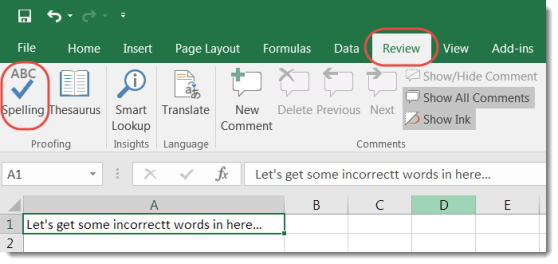
One of our Enterprise Service Center (ESC) supervisors shared a cool Excel tip yesterday. They often hear complaints about how there is no automated Spell Checker in Excel. However, there are a couple of different ways that you can complete a spell check.
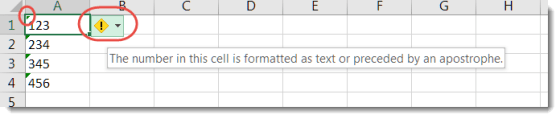
While there’s no way to shut off the numeric/text error in Excel completely, there is a way to clear the error on a number of cells at once rather than one at a time. Here’s how it works…
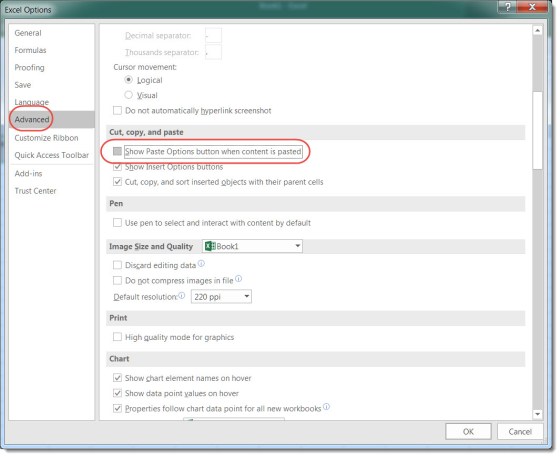
Generally speaking, when I paste something in Excel, I have a pretty good idea of how I want it to look. The last thing I want is a Paste Options button showing up (and usually blocking content) on my page. Here’s an easy way to remove it temporarily and permanently.
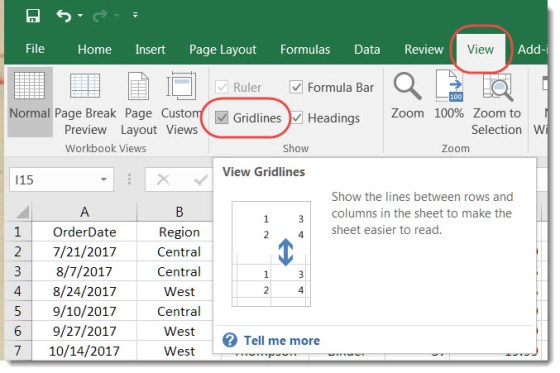
The normal default behavior in an Excel spreadsheet is to see all the gridlines that separate the rows and columns and define all the individual cells. But there are times where you might want a cleaner appearance, and it would be beneficial to see those lines go away. This is how you do that…
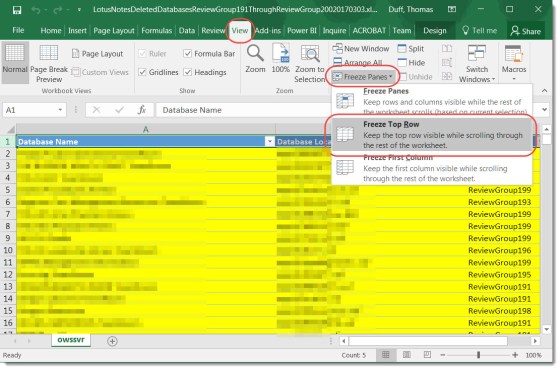
You know how sometimes when you’re in an Excel spreadsheet, you can scroll up and down the rows, but the first row of Header columns stays fixed? Here’s how you do that…
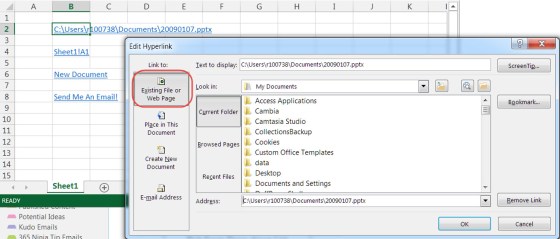
A hyperlink can be so much more, and Excel makes it easy for you to explore the possibilities.
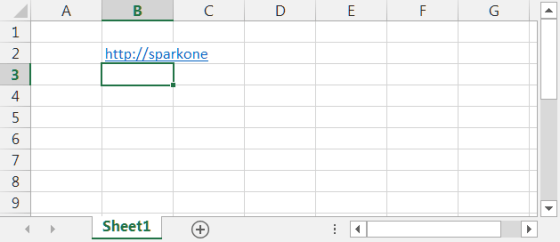
How to easily paste an active hyperlink into Excel…

Two Excel keyboard shortcuts that makes selecting data a lot easier…
 One Minute Office Magic