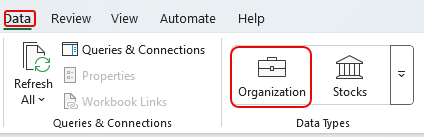
Microsoft just announced another feature retirement, this time in Excel. The Organization data type is being retired as of July 31, 2025. Here’s the information about the retirement…
Learning new Microsoft Office tricks in "just a minute"
Microsoft just announced another feature retirement, this time in Excel. The Organization data type is being retired as of July 31, 2025. Here’s the information about the retirement…
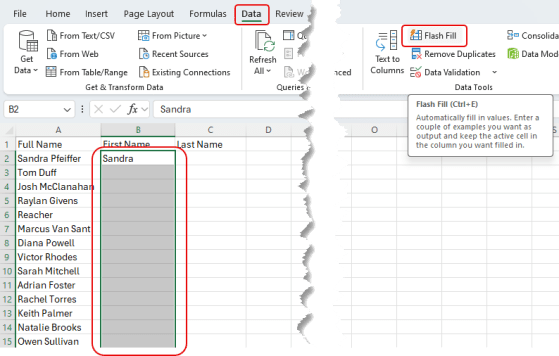
Have you ever had a column of data in Excel (like full names) and wanted to split out the first name into one column and the last name into another? Furthermore, are you less than adept when it comes to formulas in Excel? Perhaps the Flash Fill feature can be your knight in shining armor! Here’s how that works…
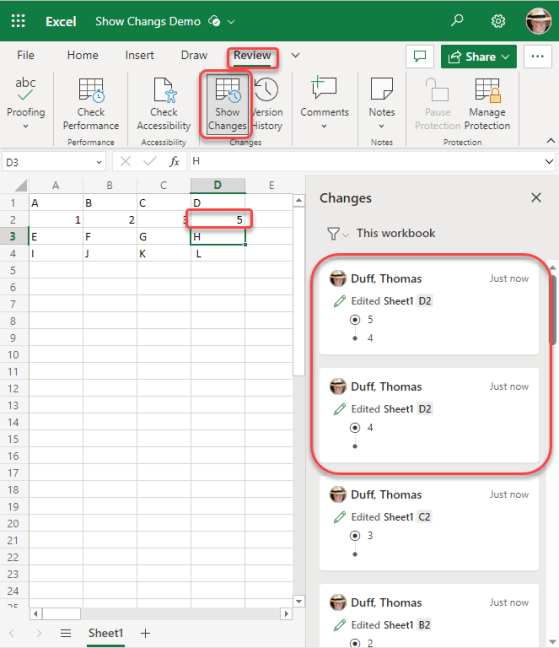
Sandra found a cool new feature yesterday that works in the browser-based version of Excel. It’s called Show Changes, and it’s like having a step-by-step version history of everything in your spreadsheet. Here’s what it looks like…
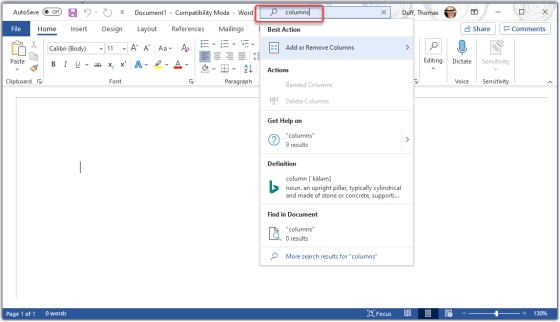
Tamara Bredemus wandered into my office yesterday and said “here’s a tip you might want to use…”, and she was right! You can ask the Tell Me feature in Microsoft Office to show you how to accomplish tasks without having to figure out the exact search terms or find the menu options. Here’s how it works…
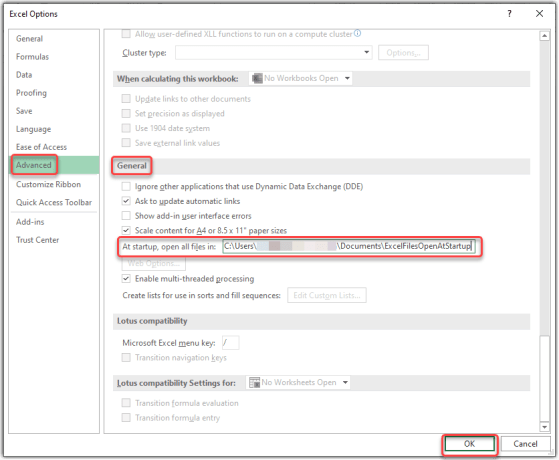
I ran across this tip today at TheExcelAddict.com site – Open A Specific Workbook Every Time Excel Starts. It shows how you can set up Excel to automatically open all the spreadsheet files in a particular folder when you start Excel. Here’s how that works…
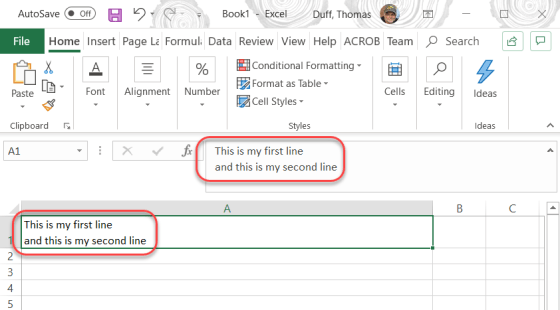
To be honest, this tip is probably more for me so that I remember and don’t forget how it works. 🙂 There are times when I want to have multiple lines in a spreadsheet cell, and not just lines that wrap around. To get that hard linefeed, you just have to use ALT-Enter, and you’ll have a new line in your cell. Here’s what that looks like…
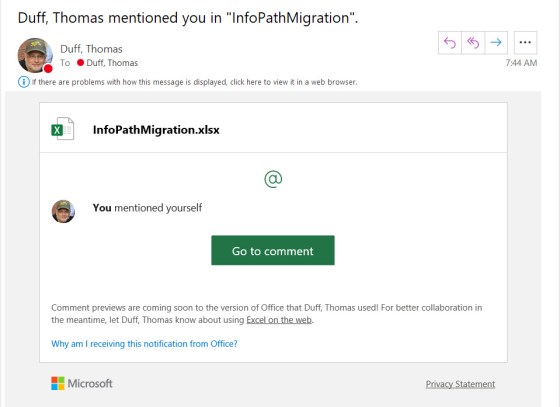
Using the Comments feature in Office is a great way to collaborate on a file, and to provide additional context and information. However, it’s entirely possible that someone may add a comment where your input would be valuable, and you might never see it. Now Office files will sent out a notification if your name is mentioned using the @ symbol. Here’s how that works…
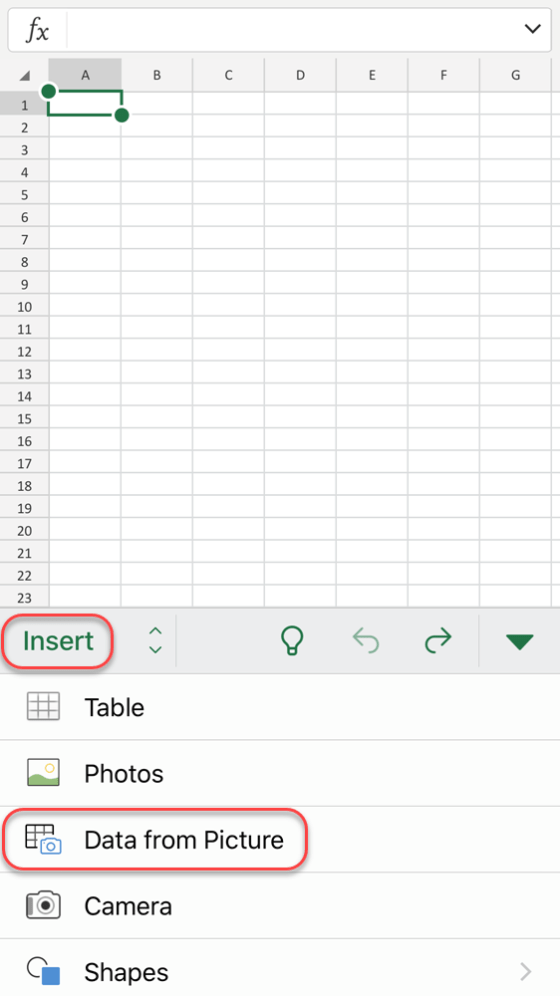
I first learned about this feature from my friend and colleague Christian Buckley a few months ago when he presented it as a tip in one of our Office Productivity Tips webcasts. However, at that time it appeared that it was only “coming soon” in the Android version of the Excel mobile app. But now the feature is fully rolled out, and it’s in the iOS version too! SQUEEEEE! The ability to take a picture of a data table and have it converted into rows and tables of an Excel spreadsheet is pure awesomeness. Here’s how it works…
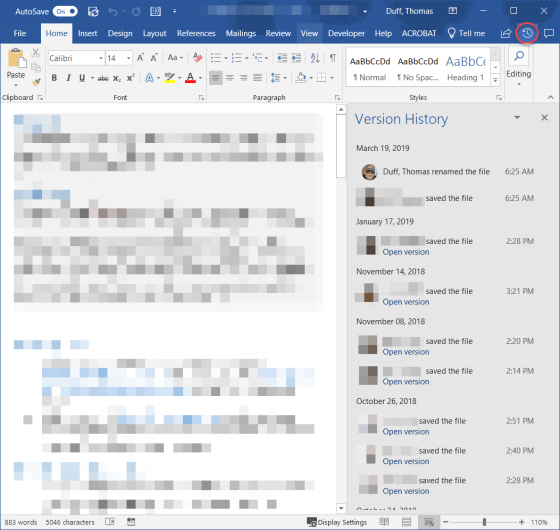
When you have an Excel, Word, or PowerPoint file open that has been shared in SharePoint Online or OneDrive, there’s an easy way to see when and who updated the file using the Version History icon in the Ribbon Bar. You can also easily see the actual file in earlier versions. Here’s how…
 One Minute Office Magic