Episode 147 of the Microsoft 365 Pulse Roadmap webcast is now out on YouTube. Join Jennifer Mason, Tamara Bredemus, Adam Ochs, and myself as we cover this week’s updates.

Learning new Microsoft Office tricks in "just a minute"
Episode 147 of the Microsoft 365 Pulse Roadmap webcast is now out on YouTube. Join Jennifer Mason, Tamara Bredemus, Adam Ochs, and myself as we cover this week’s updates.
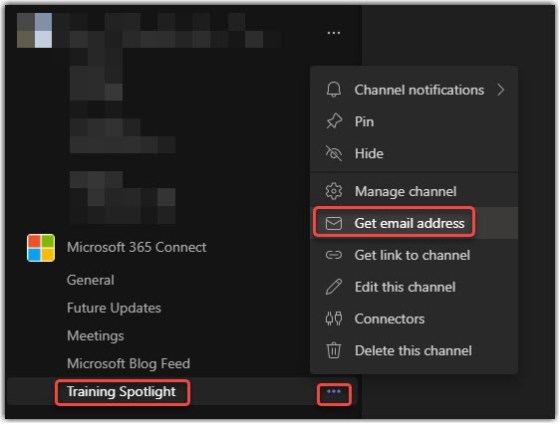
In one of our Teams channels, we like to post “future updates” that we get from the Microsoft Message Center. But having to copy and paste content from the email we receive can be a real pain. An easier way to do this is to use the channel’s email address to send (or forward) the content directly to the Teams channel. Here’s how that works…
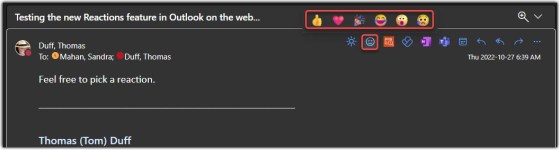
Email Reactions is a new feature (in Outlook on the Web) that allows you to quickly give feedback on an email without doing a reply or reply to all… think of it as similar to the “Like” feature on Facebook. Here’s how it works…

OK… this is one of the coolest and most useful features I’ve seen lately. You can now use AI in Power Automate to help create expressions to format your data output. It’s the Format Data By Examples feature, and it’s a game-changer, In my opinion. Here’s how it works…

Episode 146 of the Microsoft 365 Pulse Roadmap webcast is now out on YouTube. Join Jennifer Mason, Tamara Bredemus, Adam Ochs, and myself as we cover this week’s updates.
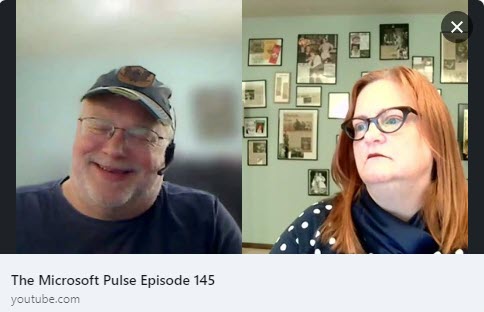
Episode 145 of the Microsoft 365 Pulse Roadmap webcast is now out on YouTube. Join Tamara Bredemus and myself as we cover this week’s updates.

In your SharePoint Online pages, the People web part only had a small and large setting. This was, to borrow a theme from Goldilocks, either too cold or too hot. Now you have a Medium setting, which seems to be… just right. 🙂 Here’s how it works…

Episode 144 of the Microsoft 365 Pulse Roadmap webcast is now out on YouTube. Join Tamara Bredemus, Adam Ochs, and myself as we cover this week’s updates.

Microsoft has a new feature for Forms that allows you to publish the form directly to a channel in Teams (instead of having to get a link and post it somewhere). Here’s what that looks like…
 One Minute Office Magic