Hide your own video in Microsoft Teams

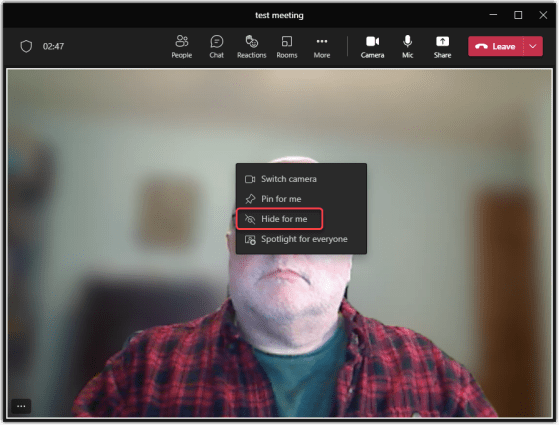
fatigue” as your brain struggles to process all the moving images. Even worse, the brain tends to focus even more on *your* video, causing even more mental stress. Or… you just may not like to look at yourself. 🙂 Now you can hide your video on your Microsoft Teams display by using the Hide For Me feature in Microsoft Teams. Here’s what that looks like…
Pinning a chat message in Microsoft Teams

When you’re in a busy one-on-one or group chat, there’s a chance that an important message might scroll off the screen before you have a chance to see it and reply. You now have the ability to pin a chat message to the top of the screen where it will remain until it’s unpinned or replaced. Here’s how that works…

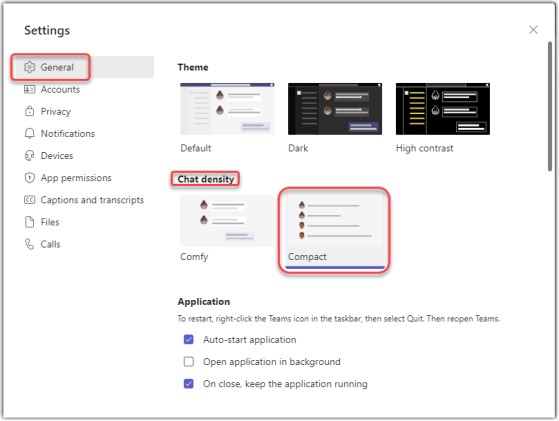
Increasing your chat density in Microsoft Teams

If you’ve been using Teams for a while, you may feel somewhat frustrated that the amount of “white space” in Teams chat seems to take up a lot space that could be used to display more content without scrolling. Teams now has a Compact setting for chat density that can help that. Here’s how it works…