Skip to content

One Minute Office Magic

  • Facebook
  • LinkedIn
  • Twitter
  • Instagram

Learning new Microsoft Office tricks in "just a minute"

  • Home
  • About
  • Contact

Category: Word

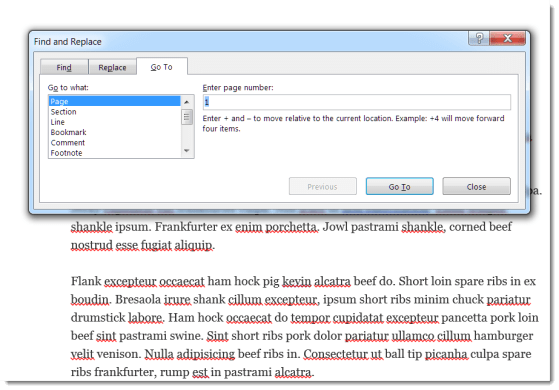
Using the Go To Feature in Word

There’s an easier way to navigate around a Word document instead of scrolling.
Word

How to Insert Symbols and Special Characters in Word

How to use symbols and special characters when your keyboard doesn’t have them.
Excel, PowerPoint, special characters, Word

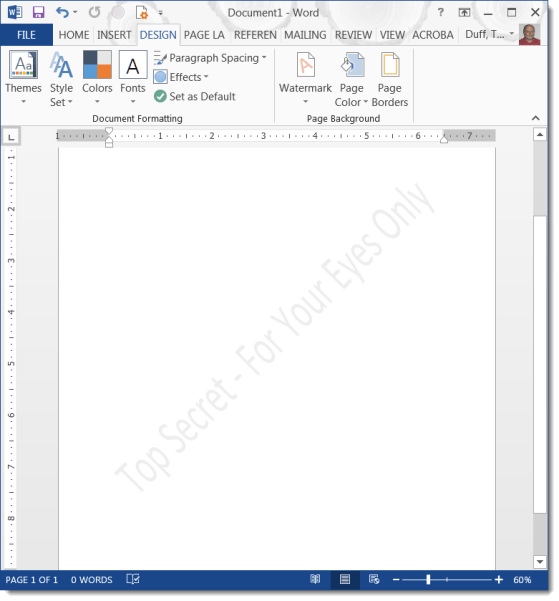
Adding a Watermark to a Word Document

A watermark is a great way to let people know how they should treat a document.

watermark, Word

How to Make Your Images Stand Out in E-mails and Documents

While copy and pasting images in your documents is adequate, there is a better way to have your images pop when they’re seen.

Excel, Outlook, PowerPoint, Word

Posts navigation

Newer posts

Search

Text Widget

This is a text widget, which allows you to add text or HTML to your sidebar. You can use them to display text, links, images, HTML, or a combination of these. Edit them in the Widget section of the Customizer.
Blog at WordPress.com.
  • Subscribe Subscribed
    • One Minute Office Magic
    • Join 82 other subscribers
    • Already have a WordPress.com account? Log in now.
    • One Minute Office Magic
    • Subscribe Subscribed
    • Sign up
    • Log in
    • Report this content
    • View site in Reader
    • Manage subscriptions
    • Collapse this bar