If you use Microsoft Teams, you know that there are some Teams that you live in on a daily basis, and others that you hardly ever open. You can now back that up with some basic analytics to see how many people are in a team and how much use it’s getting. Here’s how…
Category: Microsoft Teams
Sending Urgent messages in Microsoft Teams
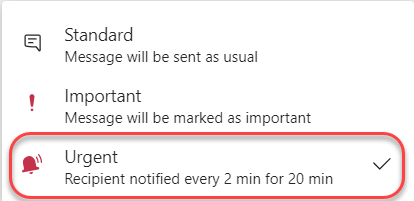
If you use the Important indicator for messages you send in Microsoft Teams chats, you’ll see a new level of functionality now. You can mark a message as Urgent, and it will ping the user every two minutes until they look at your message. While it can really help to get someone’s attention when necessary, it comes with a couple of common sense caveats. Here’s how it works…
Check out the new Calendar interface in Microsoft Teams
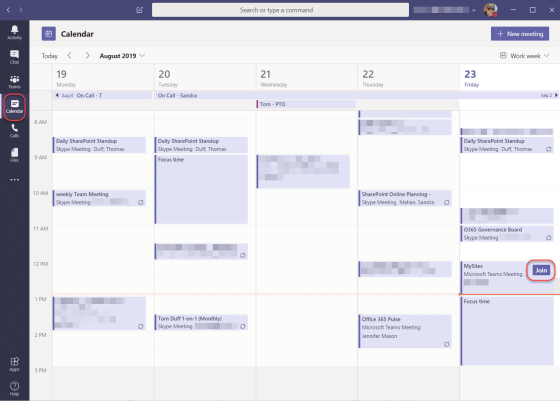
Today my team was on a meeting (in Microsoft Teams, of course), and someone clicked on the calendar icon to show us the new format. It’s pretty awesome, and it’s closer to being something that I could actually live in now…
@-less Mentions in Microsoft Teams
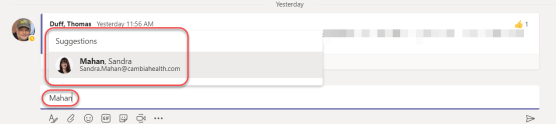
Microsoft Teams allows you to flag someone in a chat or conversation by using the @ symbol before their name, such as @Duff, Thomas (the format of our names). There’s now a new way to flag someone’s name, and all you have to do is start typing their name. You don’t need the @ any more. Here’s how that works…
My slides from the Minnesota SharePoint User Group presentation on Office 365 Productivity Tips
Giving people Praise in Microsoft Teams
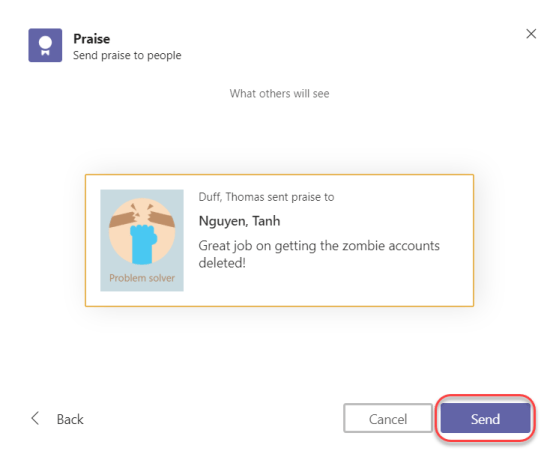
When you’re in Microsoft Teams, collaborating with all your coworkers, you might feel the need to call out someone for the excellent work they’ve done or the help they’ve given you. You can do that now with the Praise feature. Here’s how that works…
Decluttering your Microsoft Teams list of workspaces
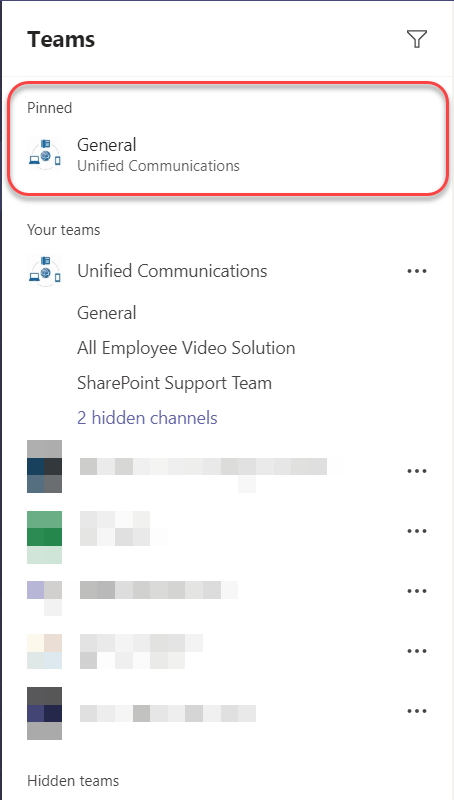
After you’ve been using Microsoft Teams for a bit, there’s a good chance you’ll “collect” a large number of Teams that you’re part of. That can make your list of Your Teams long and unwieldy. Fortunately, there’s a new feature that will keep that list under control and hide the Teams that you don’t use as much (or at all). Here’s how that works.
Using the Announcement post in Teams
I’ve been waiting for this feature to show up in our Office 365 tenant, and now we have it… Announcement posts in Microsoft Teams! This is a great way to garner more attention to a post in a Microsoft Teams Channel. Here’s how it works…
Getting more screen real estate in Microsoft Teams with Expand Tab
This was a simple little thing I saw Sandra Mahan do during a Teams meeting yesterday, but it had completely skipped my notice earlier. When you’re in a Teams Channel tab (other than Conversation), you can expand the screen to remove all the Teams information on the left side of your screen. There’s an Expand Tab icon that does that for you. Here’s how it works.