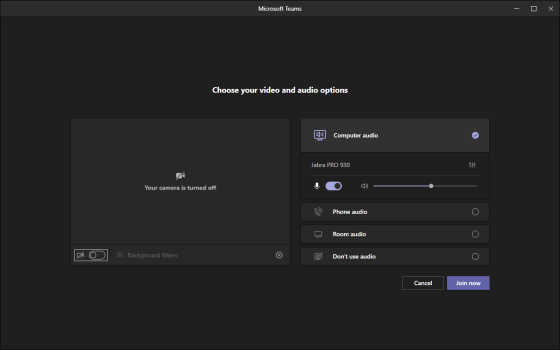
I’m sure everyone’s been on a Microsoft Teams meeting that is running longer than expected, and they need to leave for an appointment or errand. Unfortunately, hanging up on the call may not always be an option. Now, you have the option to transfer the meeting to another device, such as your iPhone. Here’s how it works…
Category: Microsoft Teams
Sending a Microsoft Teams conversation item to Outlook
In a perfect world, everyone you need to involve in a chat or channel conversation in Microsoft Teams will be present in that particular Teams workspace (or even in Teams in general). But the world is not perfect, and many people still live in their inbox. If you need to inform someone of a Teams chat or conversation, you can email them a copy of it so that they will know what’s going on. Here’s how you do that…
Using Live Captioning in a Microsoft Teams meeting
I will admit I used to make fun of Microsoft’s ability to do real-time captioning, as the results tended to be… “entertaining”. But a lot has changed since then, and now Live Captioning in Microsoft Teams meetings works pretty well, considering how hard it is to adapt to voices and accents. Here’s how it works…
Turning off GIF animations in Microsoft Teams
We had a question come up yesterday in one of our Teams workspaces… was it possible to turn off the GIF animations that can be added to Teams chats and channels to make things less distracting? My co-worker Eydie found the solution for that, and it’s surprisingly easy. Here’s how…
Grouping your contacts in Microsoft Teams
If you’ve been using Skype, you’re probably familiar with the ability to group your Skype contacts into various contact groups to help you keep people organized. However, in Microsoft Teams chat, it’s a bit more hidden. Here’s how to create contact groups in Microsoft Teams, and how to add people to them.
The Channel Information Panel in Microsoft Teams
When you’re looking at all the Channels in a Microsoft Teams workspace, you may struggle to figure out what they’re for, who the members are, and what’s been done of late. Now you can find all that out in the Channel Information Panel. Here’s how that works…
Contextual search in Microsoft Teams using CTRL-F
Being able to find certain words in a document using CTRL-F is one of the most useful features in applications like Word. That same ability now makes its appearance in Microsoft Teams. Here’s how it works…
Adding your own background images for Microsoft Teams meetings
Recently Microsoft Teams offered a standard set of background images for your Microsoft Teams meetings. You *could* add your own images, but it was more of a hack and wasn’t something you’d necessarily want to advertise. Now, there’s an easy way to do this, and here’s how it works…
Searching in channels and chats for Microsoft Teams
While Microsoft Teams is a great way to keep information consolidated for your work, the capability to find things in various chats and channels has been somewhat limited. With the addition of enhanced searching in Microsoft Teams, that now becomes much easier. Here’s what it looks like and how it works…