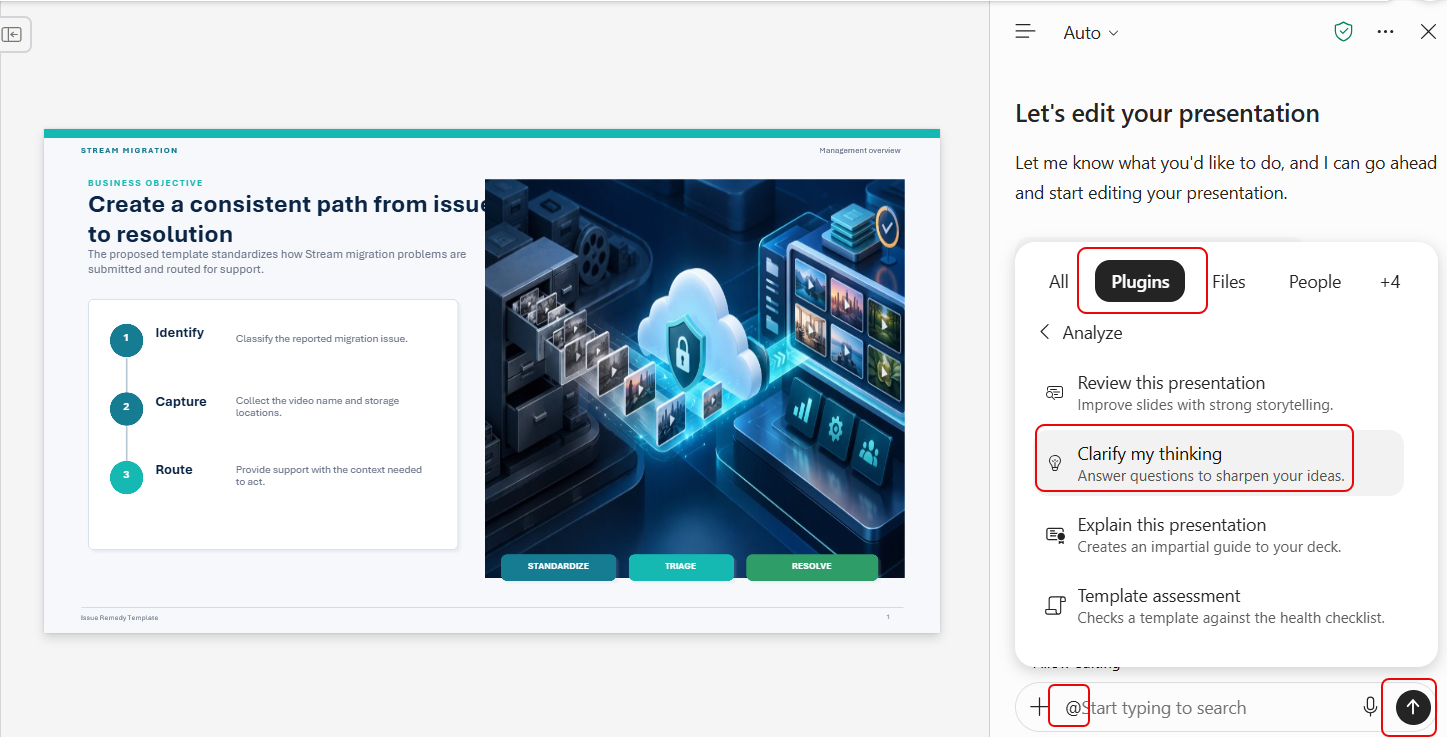
While Copilot can help you generate visually appealing PowerPoint presentations, you may find that you haven’t really thought through the content in order to make your points. If you open your presentation in PowerPoint on the web, you can use the Clarify my thinking skill to have Copilot analyze the content, ask some questions about what you’re trying to convey, and then give you some feedback on how to improve your argument. Here’s how that works…
Call up your presentation in the browser (it doesn’t work yet in the PowerPoint client), click on the Copilot icon, and put an @ symbol in the chat. That will give you the option to see all the plug-ins (also often known as Skills) that you can apply to this chat. Select Clarify my thinking and then click the Send icon to start the chat:
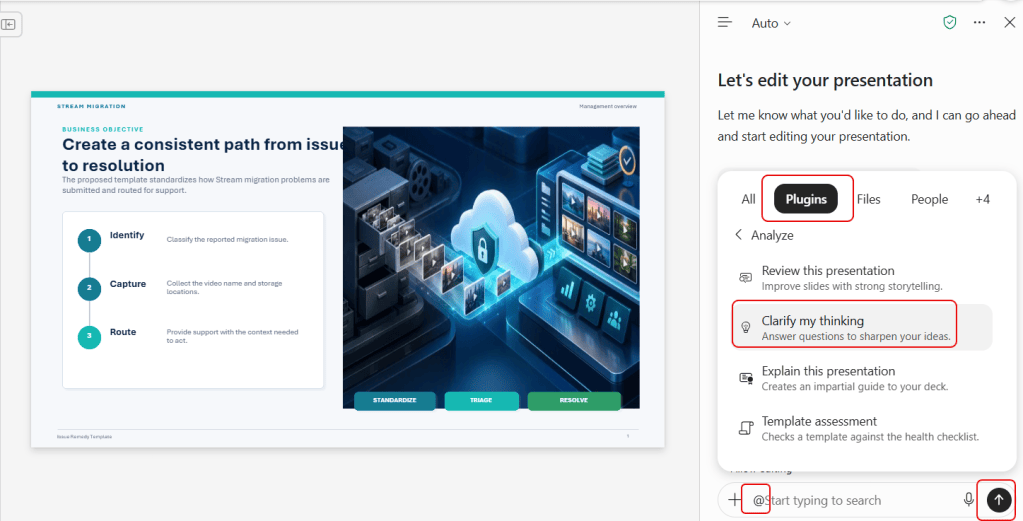
Copilot will then start a series of questions. For who is the main audience, I selected Adopt it in daily work:
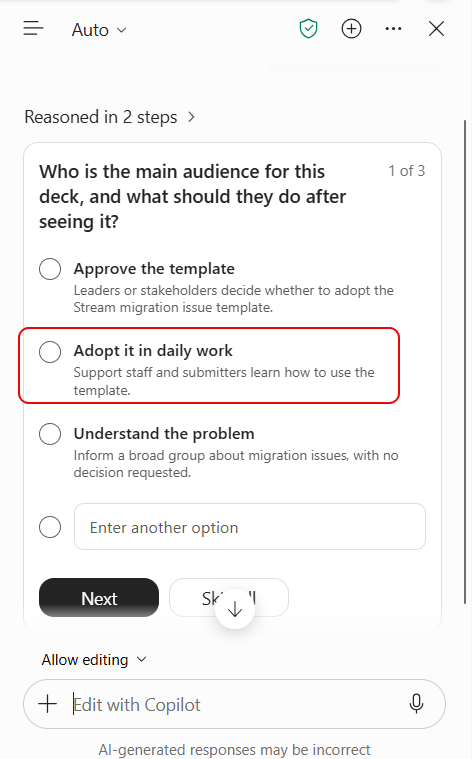
For what is the problem you’re trying to solve, I selected Slow or wrong routing:
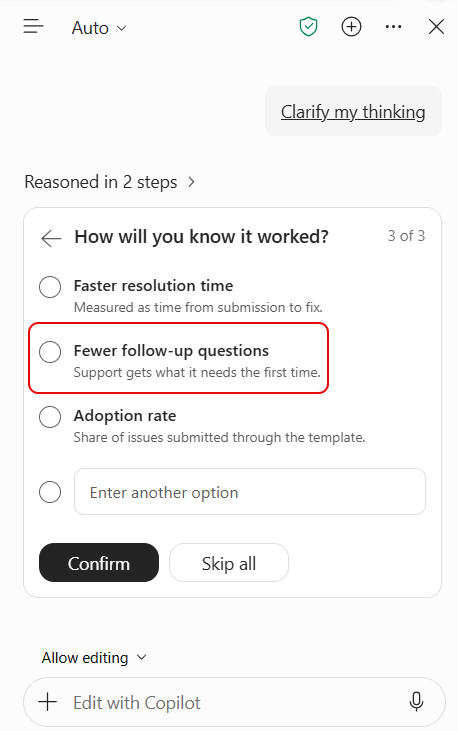
For how will I know it worked, I responded with Fewer follow-up questions:
After reasoning through the questions and the content, it lets me know where “my thinking stands”, and I can decide how best to change up the content if needed:
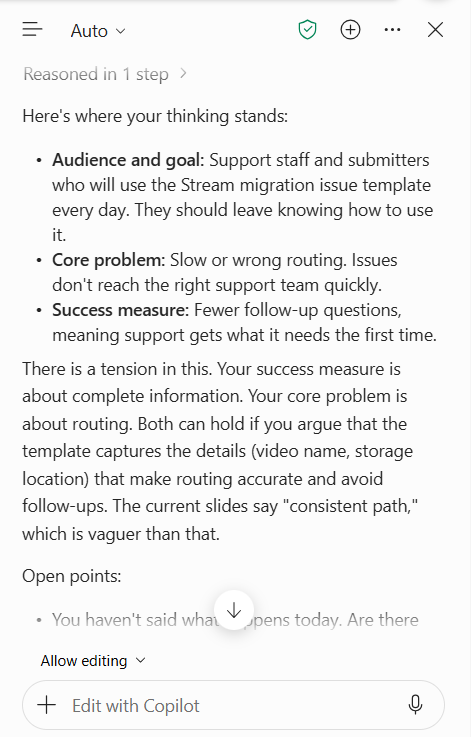
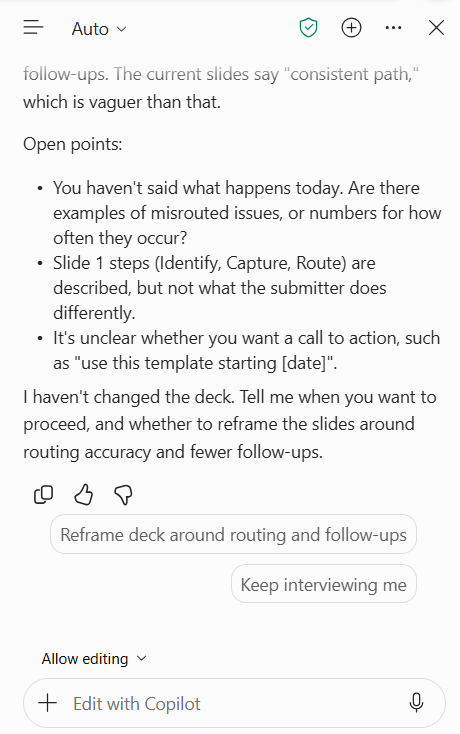
I could continue the conversation to work on the presentation to make it better address my overall goals.
The Clarify my thinking skill is a great way to make sure your PowerPoint presentation supports what you are trying to accomplish.


