One of my favorite features about Copilot is that it “remembers” things that you’ve asked it to do over time, as well as things it learns from your interactions. However, that can be someone frustrating when it gives you answers that seem “off”, and you don’t know why it decided to do what it did. Microsoft now allows you to view the Memory Sources that came into play when you are chatting with Copilot. Here’s how that looks…
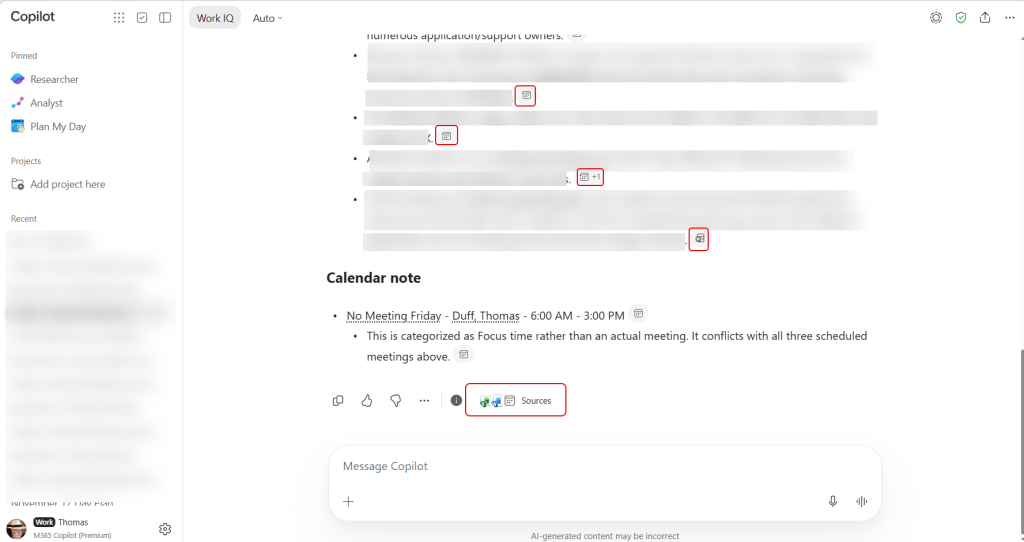
Here is a chat I had with Copilot. I can see small reference icons throughout the chat that are clickable links to whatever document/reference was used for that statement. At the very bottom of the response, there is a Sources link that shows you all that information in a consolidated format:
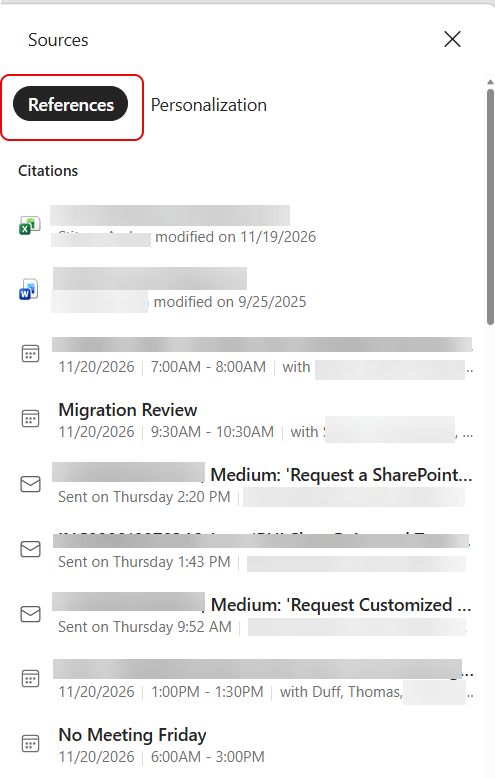
In the Sources panel, you will see two options for References and Personalization. The References option lists all the citations from the chat (each of those icons in the response):
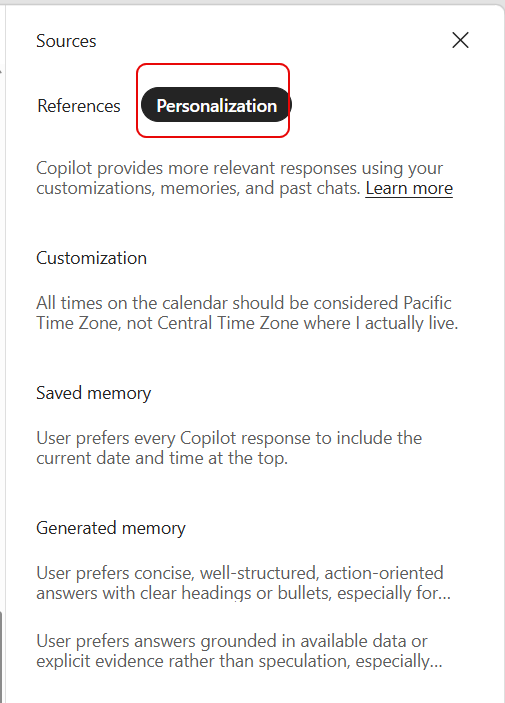
The cool part is Personalization. It will point out all of the customizations, memories, and past chats that were used in the process of generating the response:
This is a great way to see if certain things (such as having a current date and time at the start of each response) are a result of a memory, and then you can dig into the Copilot personalization features to see if you need to make adjustments.


