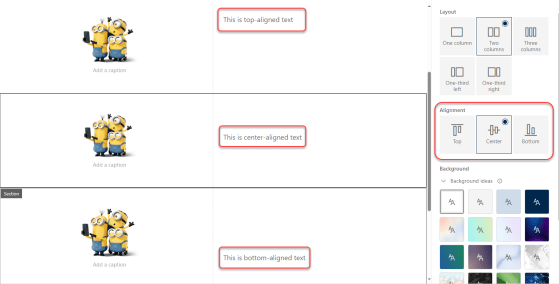
Aligning content in SharePoint 2- and 3-column sections

By default, content in 2- and 3-column sections in a SharePoint page always put the content at the top of the section. This could lead to “less than appealing” page layouts if you had a larger image with just a small amount of text in the second column. You ended up with a lot of white space that couldn’t be used for anything. Now, you have the option to pick the alignment of content along the top, center, or bottom. Here’s how that works…

Using Shapes in the SharePoint Image web part

When you have an image web part on a page, your image is pretty much shaped in some sort of square/rectangle format (unless you do something fancy prior to using it). Now the Image web part gives you the option to apply a shape to the image to make it stand out on the page, Here’s how that works and the different shapes you have available…

Using the new Forms feature in Microsoft Lists

Today we had a bit of a surprise in that the new Forms feature in Microsoft Lists showed up. At first you had to be in the Microsoft Lists experience, but now it seems to be showing up on all your modern SharePoint lists that you access via SharePoint. I’m going to explain a bit about how it works, and why I think you should hold off a bit before committing to this path…