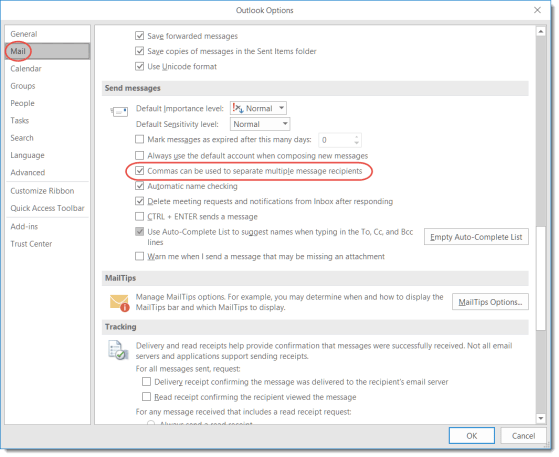
Separating email addresses in Outlook using commas

If you’ve been using email clients (like Outlook) for years like I have (translation: I’m old), you may have become used to using the semicolons to separate email addresses in the To, CC, and BCC fields. But you *can* make a change in Outlook to allow the use of commas.
Alternative Use of Outlook’s Email Signature Feature

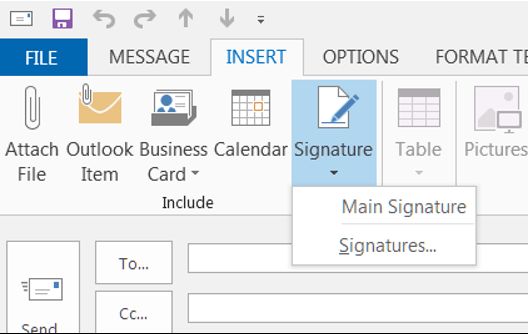
Today’s tip comes to us via a work colleague… I didn’t know that the Signature feature in Outlook could be used in so many different ways! Check out the two links below for details on how to create, use, and manage signatures.

The key to inserting any of your signatures in an email is to place your cursor within the body of the email (wherever you’d like the signature text to go) and select Insert > Signature.

Meeting Reminders in Outlook

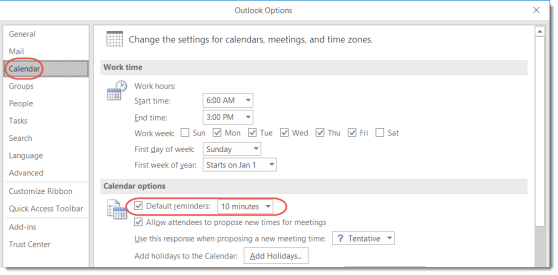
It’s a pretty safe bet these days that we’re all swamped with meetings on our calendars, and we need a reminder when the next meeting is due to start. Here’s how to set up Reminders on your calendar entries (both for yourself and for others you invite to the meeting), as well as how to hit the Snooze button on the alarm.

Searching for date ranges in Outlook

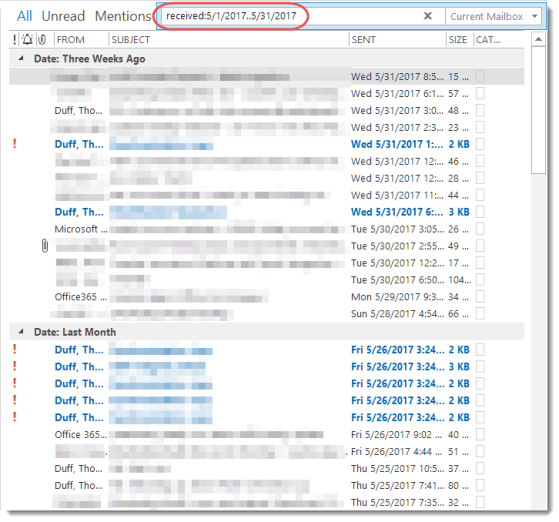
I received a great tip from Tamara Bredemus yesterday when it came to searching for mail in Outlook. She needed to narrow down her inbox to only show items for a two week period. By using the received keyword in the search bar, she easily made that happen. Here’s how…

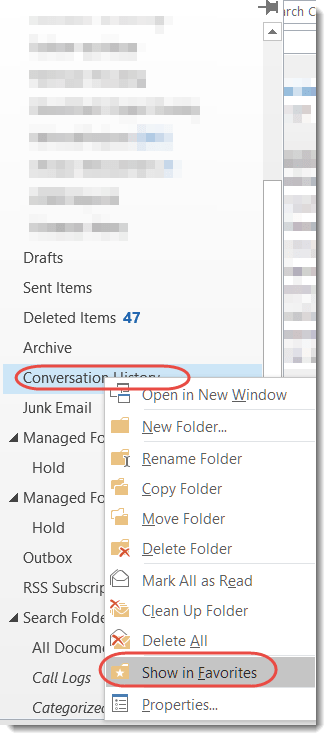
Adding Favorites to a minimized Outlook Folder Pane

Sandra showed me a cool trick last week that I was unaware of. She likes to keep her Outlook Folder Pane minimized down the left side of the screen, but I’ve always disliked it because it didn’t list the folders I cared about. She fixed that problem by showing me how to add Favorites there! Here’s how you do it…