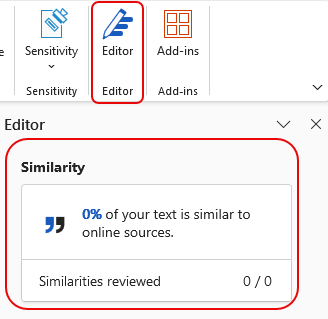
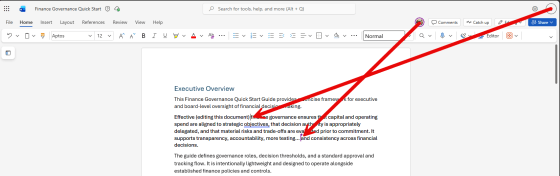
No doubt you’ve taken advantage of coauthoring in the various Microsoft 365 offerings like Word, Excel, and PowerPoint. However, you have probably also run into the locking limitations, such as only a single person being allowed in a Word paragraph at a time. Microsoft has fixed that with lock-free coauthoring in Microsoft Word. Here’s what that looks like…
Tag: Microsoft Word
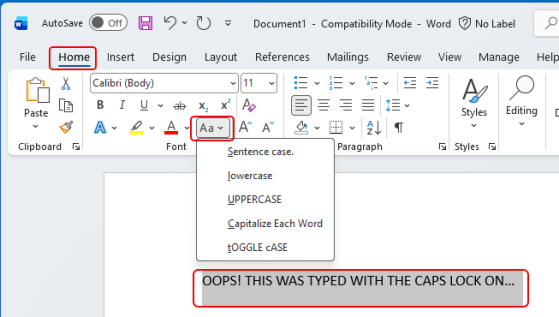
Fixing the font casing in Microsoft Word
Another tip from my favorite software trainer (that would be my wife.) If you inadvertently click your Caps Lock key in Word and type a bunch of text before you notice, you might be dismayed at the thought of retyping it all again. However, Microsoft Word has a feature that will allow you to change the case of a highlighted chunk of text. Here’s what that looks like and how it works…
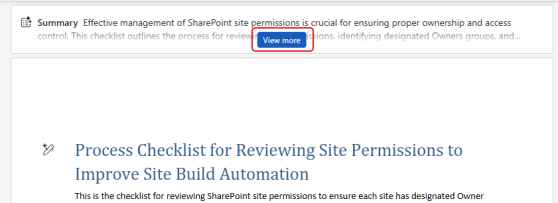
Getting a document summary in web-based Microsoft Word
If you are looking at a large document in the browser-based version of Microsoft Word, you might feel a bit overwhelmed when it comes to getting an overall understanding of what it contains. Copilot can help with a Summary at the top of the document, along with a variety of options to tailor your overview to what you need. Here’s what that looks like…
Getting all the keyboard shortcuts for Microsoft Word
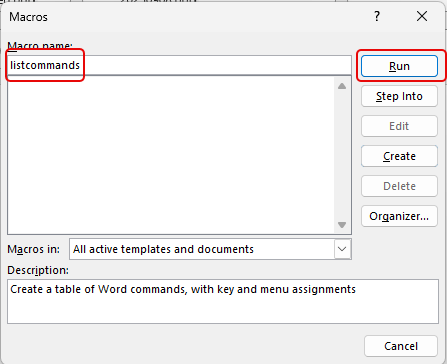
I ran across this cool tip the other day… You probably know some basic keyboard shortcuts that you use in Microsoft Word, but have you ever seen the entire list of keyboard shortcuts that work in Word? Using this tip, you can easily get a list of all of them. Here’s how that works…
Retirement of Loop Component Rendering in Word for the Web
Next up in the on-going list of Microsoft retirements… this one is a change to how Loop components are rendered in Word for the Web. Following is the Microsoft announcement…
Exporting Word 97-2003 document files in OneNote for Windows desktop is being retired
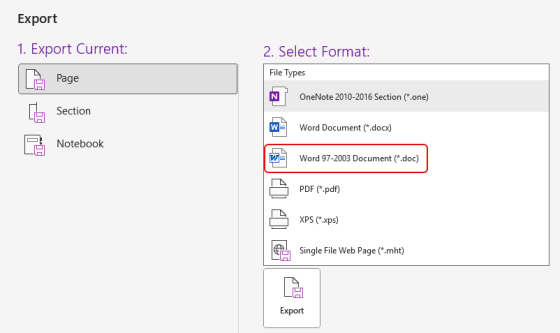
Nearly 30 years after it first came out, the Word 97-2003 Document format (*.doc) will no longer be an option when you export a OneNote page as of July 28th, 2025. Here’s what that will look like…
Using the Align feature in Microsoft PowerPoint (and Word)
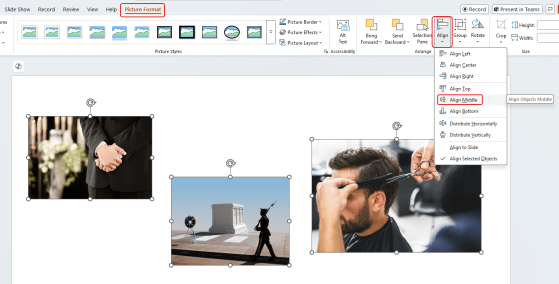
Have you ever had a number of images on a slide, and you’ve struggled to align them horizontally (or vertically)? You’ve spent way too much time moving things pixel by pixel, and then you wonder if it’s actually perfect? You can make that a lot easier by using the Align feature in PowerPoint (and it’s also available in Word). Thanks to Sandra for sharing this with me. Here’s how it works and looks…
Microsoft Word for the web: The Designer in Word feature will retire
We just received word (pun sort of intended) that the Designer in Word (for the web-based version) will be retired on March 31, 2025. This is a heads-up that if you use this particular feature, it won’t be available after that date. Following is the notice from Microsoft, as well as their recommendation on what to use instead…
Microsoft Word’s Researcher feature is being retired
If you are a user of Microsoft Word and you rely on the Researcher feature in that application, here’s a heads-up that the feature is being retired by Microsoft starting towards the end of December 2024 with a complete retirement by the end of January 2025. Here’s what that feature looks like…