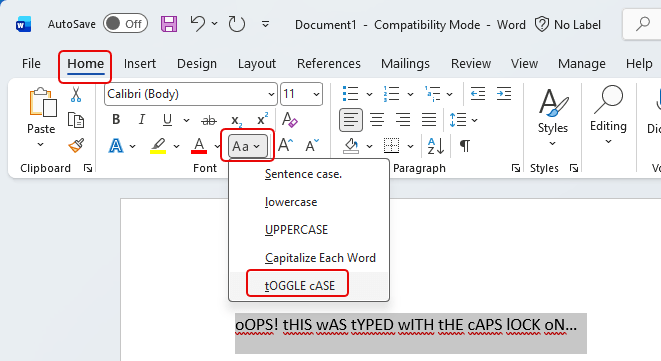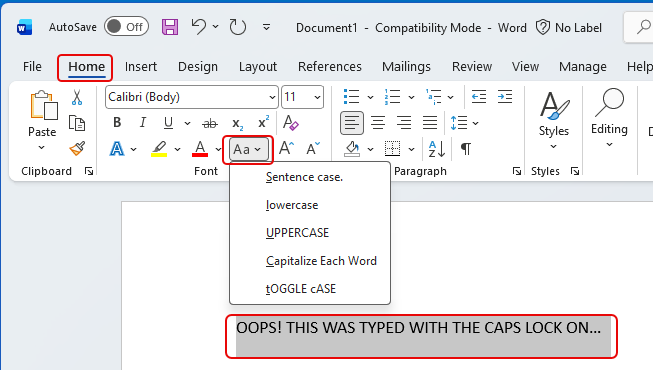
Another tip from my favorite software trainer (that would be my wife.) If you inadvertently click your Caps Lock key in Word and type a bunch of text before you notice, you might be dismayed at the thought of retyping it all again. However, Microsoft Word has a feature that will allow you to change the case of a highlighted chunk of text. Here’s what that looks like and how it works…
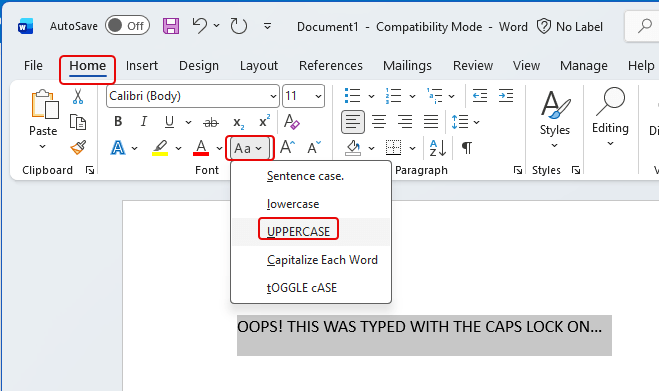
To start this, highlight your text that you want changed, and then select Home > Aa to see the list of options for fixing the case:
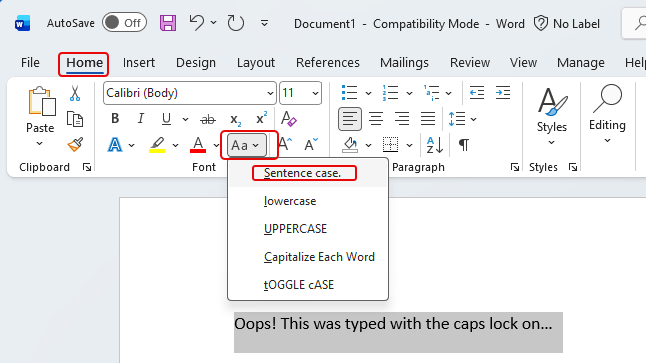
Sentence case will make it look like it’s a normal sentence:
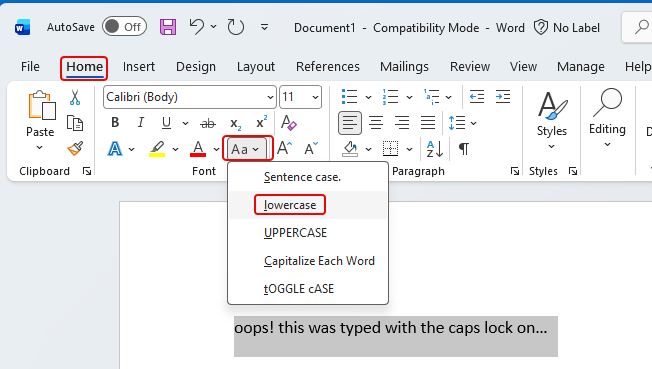
lowercase will change it all to lowercase:
UPPERCASE will convert it to all caps:
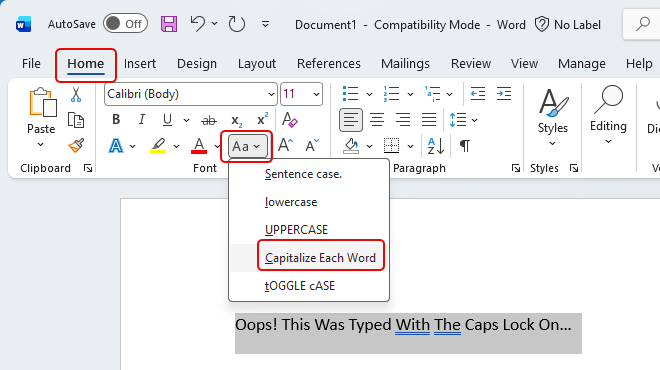
Capitalize Each Word will do just that:
And tOGGLE cASE will change the case to have a lowercase initial letter and the rest of the word in uppercase: