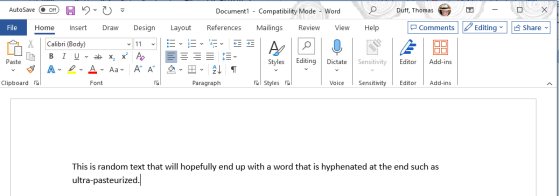
One of my coworkers pointed out another Microsoft Word trick involving keeping words together on the same line. In this case, it’s if you want to keep a compound word (two words separated by a hyphen) together on the same line so it doesn’t appear to be a single word broken at the end of the line with a hyphen. Here’s how you do that…
Tag: Microsoft Word
Keeping two words together on a line in Microsoft Word
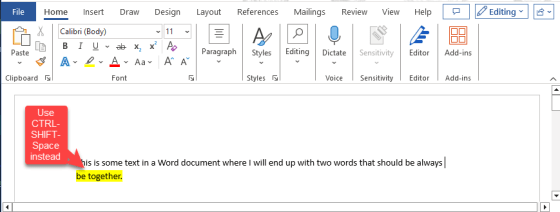
Here’s a quick tip I learned today from my wife Tamara. If you’re typing along in Microsoft Word and you end up with two words split between two lines, you can use this tip to make sure those two words stay together on a single line. Here’s how that works…
Comparing two documents in Microsoft Word
I ran across this feature from a video by Dr. Mitin Paranjape. He showed how to use the Compare feature in Microsoft Word to automatically get a comparison of two documents without having to try and pick out the changes yourself. I wasn’t even aware of this feature (it’s been there forever), but I think it might become one of my favorite ones moving forward. Here’s how it works…
Removing text formatting in Microsoft Outlook, Word, and PowerPoint
It’s not uncommon to copy text from some source into an email, and you find that it’s copied over all the formatting that was part of the source material. You can try various techniques to remove the formatting before you paste it, but you can also remove the formatting once it’s in your email, Word document, or PowerPoint slide. Here’s how to make that happen…
Transcribing an audio file in Word for the web
Have you ever interviewed someone, saved the audio file to your computer, and then had to start the laborious task of transcribing it? By using Word for the web, you can upload that audio file and Word will transcribe it for you! Sounds like a great way to get the majority of your transcription work done automatically. Here’s how it works…