Next up in the on-going list of Microsoft retirements… this one is a change to how Loop components are rendered in Word for the Web. Following is the Microsoft announcement…
Speaker Coach in Microsoft Teams is being retired
This is a change that makes me a bit sad. The Speaker Coach feature in Microsoft Teams is being retired and will no longer be available by late August, 2025. Apparently this was a Preview feature (I didn’t realize that), and Microsoft has decided not to move the function to general availability…
Exporting Word 97-2003 document files in OneNote for Windows desktop is being retired
Nearly 30 years after it first came out, the Word 97-2003 Document format (*.doc) will no longer be an option when you export a OneNote page as of July 28th, 2025. Here’s what that will look like…
Microsoft 365 Pulse Roadmap webcast – Episode 254
Episode 254 of the Microsoft 365 Pulse Roadmap webcast is now out on YouTube. Join Tamara Bredemus and Thomas Duff as we cover this week’s updates.
Microsoft 365 Pulse Roadmap webcast – Episode 253
Episode 253 of the Microsoft 365 Pulse Roadmap webcast is now out on YouTube. Join Tamara Bredemus and Thomas Duff as we cover this week’s updates.
Seeing the Time To Read on SharePoint News posts
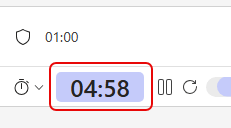
This new SharePoint News feature is one I really like… When you create a new SharePoint News post, the page will calculate the time it takes to read, presenting you with a read time number in the title bar of the article. Here’s what it looks like and how to turn it off if you want…
Using Design Ideas for a Quick Links web part
I *love* tips that show how to get design help when building SharePoint pages. I have very little sense of design, so my pages can look pretty blah… especially around Quick Links web parts. But using the Design Ideas feature for that web part, you can get some really attractive options that break away from the traditional look and feel. Here’s how that works and looks…
Editing recurring events in Outlook with “This and all following events”
Recurring events in Outlook are great, until you have to edit them. All too often, you wanted to make a change to events going forward from a particular date, but Outlook forced you to also change all past events also, destroying any history of what you might have done at a particular time. Now you have the option to use the This and all following events option when editing recurring events. That preserves your past event history. This is how that looks…
Using the Windows Key + period to get the Emoji pop-up
One of my work colleagues shared this tip with me, and I thought it was so good that I’ll pass it along to you. If you press the Window key + . (the period), you’ll get a cool Emoji pop-up screen along with some other useful clickable goodness. Here’s how that works…