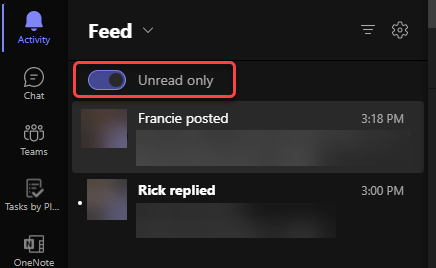
Seeing Unread Only in your Microsoft Teams Activity Feed

The Activity Feed in Microsoft Teams is a great way to get an overall view of posted items, replies, and various other things that have happened in Teams spaces that you are part of. But… it can be really hard to wade through the mix of things you have and haven’t yet read. There is now an Unread Only toggle in the Activity Feed that will help you focus only on the things that you haven’t yet looked at. Here’s what it looks like…

Getting search results context in Microsoft Teams

One of the frustrating things about searching in Microsoft Teams has been that you didn’t really get the context behind a particular chat message that matched the search parameters. With a recent update, you can now click on that chat search result and see the full context of the chat message. Here’s how that works…

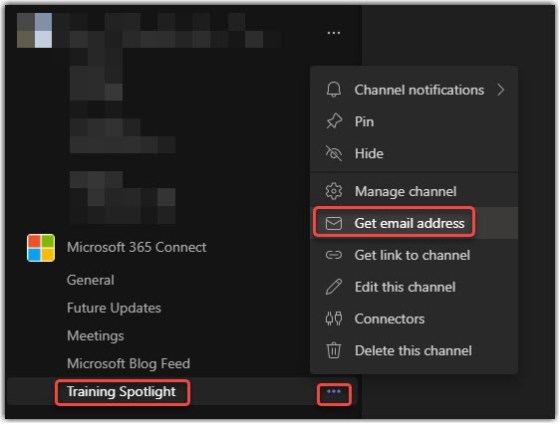
Sending emails to a Microsoft Teams channel

In one of our Teams channels, we like to post “future updates” that we get from the Microsoft Message Center. But having to copy and paste content from the email we receive can be a real pain. An easier way to do this is to use the channel’s email address to send (or forward) the content directly to the Teams channel. Here’s how that works…