Episode 212 of the Microsoft 365 Pulse Roadmap webcast is now out on YouTube. Join Jennifer Mason, Adam Ochs, Tamara Bredemus, and myself as we cover this week’s updates.

Learning new Microsoft Office tricks in "just a minute"
Episode 212 of the Microsoft 365 Pulse Roadmap webcast is now out on YouTube. Join Jennifer Mason, Adam Ochs, Tamara Bredemus, and myself as we cover this week’s updates.

If you use the Activity Feed in Microsoft Teams to find out what’s unread and where you’ve been mentioned, you’ll see a slight change at the top of the feed. Microsoft has added filter pills at the top to make those two options easier to use. Here’s what that looks like…
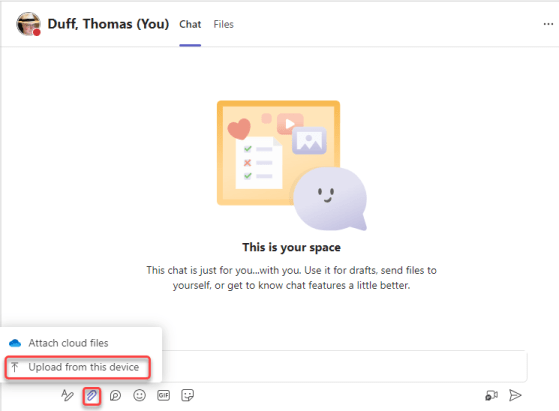
Recently we discovered that a new change has rolled out to our tenant when it comes to image files attached to a Microsoft Teams chat or channel conversation. Instead of the file just showing as a file name (with no clue as to what the image looks like), it now shows the actual image! And, if needed, you can still download the image file if you need to. Here’s what it looks like and how that works…

In Stream Classic, you used to have the ability to trim video content from the start and end of your recording. It was a great feature, and it disappeared when we all moved to Stream on SharePoint and OneDrive. The feature has made it back to the new version of Stream, along with a bit of additional functionality (trimming in the middle of the video!) Here’s how it works…

Today we had a bit of a surprise in that the new Forms feature in Microsoft Lists showed up. At first you had to be in the Microsoft Lists experience, but now it seems to be showing up on all your modern SharePoint lists that you access via SharePoint. I’m going to explain a bit about how it works, and why I think you should hold off a bit before committing to this path…

When you’re having a group or one-on-one chat with someone in Microsoft Teams, you may get to a point where having an actual meeting is necessary. Here’s an easy way to create that meeting that automatically invites everyone in the chat…

When you want to make an announcement in a Microsoft Teams channel, it’s always nice to have an eye-catching image to get the attention of the reader. But if you’re like me, you spend FAR too much time trying to find just the right image. Now you can let Designer create a great announcement image for you! Here’s how that works…

Episode 211 of the Microsoft 365 Pulse Roadmap webcast is now out on YouTube. Join Tamara Bredemus and myself as we cover this week’s updates.
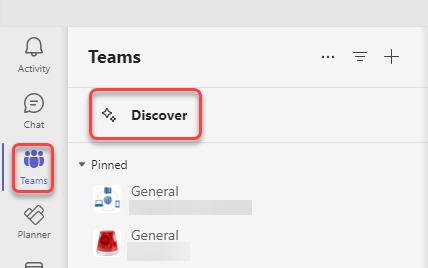
If you have a large number of Teams spaces that you are part of, it can be difficult to keep track of everything that’s going on in the various Teams. To make things a bit easier, you might want to check out the Discover feed in Teams. Here’s what it looks like and how it works…
 One Minute Office Magic