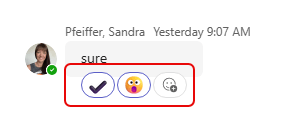
In today’s world of too many meetings, you likely find yourself double- and triple-booked all day long. You feel like you have to accept all the meetings as they are important and you want to keep track of things, but it turns your calendar into a nightmare, and the organizer doesn’t know whether you truly will or will not be there. Now, you can use Outlook on the web (or the New Outlook for Windows client if you’re using that) to RSVP with a Follow option. Here’s what that looks like and how it works…
Microsoft Word for the web: The Designer in Word feature will retire
We just received word (pun sort of intended) that the Designer in Word (for the web-based version) will be retired on March 31, 2025. This is a heads-up that if you use this particular feature, it won’t be available after that date. Following is the notice from Microsoft, as well as their recommendation on what to use instead…
Microsoft 365 Pulse Roadmap webcast – Episode 234
Episode 234 of the Microsoft 365 Pulse Roadmap webcast is now out on YouTube. Join Tamara Bredemus and myself as we cover this week’s updates.
Pull Quotes on a SharePoint page
When you’re creating a SharePoint page with a moderate amount of text, you may want to have a particular line or two stand out for the reader. You can do this with Pull Quotes. When you’re formatting your text on a page, you can select from four different pull quote styles. Here’s how that works…
Better People search results in Microsoft Teams
Microsoft Teams recently updated the Search feature when it comes to finding content related to specific people. You can now filter based on specific types of results instead of having to wade through everything. Here’s what that looks like…
Seeing who else is looking at your list in Microsoft Lists
If you’re in a Microsoft modern list, there’s a cool feature you may not have noticed. In the upper-right corner, you can see who else might be using that list at the same time you are. This is how that looks…
The Tags feature in Microsoft 365 is going away
This is something that, to be honest, I didn’t know existed. If you go to the office.com site and look at the Microsoft 365 home page, you had the ability to tag content for easy retrieval. Here’s what’s going on…
Updating your Microsoft 365 Profile
With the demise of Delve in Microsoft 365, Microsoft came up with a new process for updating your Microsoft 365 Profile information. It’s a much easier interface to use. Here’s what that looks like now…
Microsoft Teams: New skin tone settings and reactions
In Microsoft Teams, everyone loves their emojis and reactions. But in terms of “skin tone”, you were pretty much stuck with yellow. Now, you can set a skin tone for the hand gestures and people emojis that is more representative of who you are. Here’s how that works…