Using Flash Fill in Excel

Have you ever had a column of data in Excel (like full names) and wanted to split out the first name into one column and the last name into another? Furthermore, are you less than adept when it comes to formulas in Excel? Perhaps the Flash Fill feature can be your knight in shining armor! Here’s how that works…

Changes to the Focal Point feature in SharePoint page banners

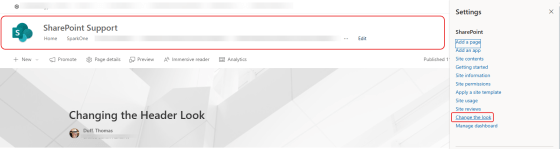
When you put an image in a SharePoint page banner, you have the ability to change the focal point of how the image is positioned. But you only see a narrow slice of the image, and you have to drag the focal point around without really seeing the full image content. The focal point feature has now changed, and you see the entire image when you’re selecting a focal point. That makes it a lot easier to get the effect you want, and here’s how that looks and works…

Updated retention policy for Microsoft Teams meeting attendance reports

It’s possible this is something you’ve never given much thought to, but the attendance reports in Microsoft Teams meetings currently are stored indefinitely. However, Microsoft has made a policy change and now the attendance report for a Teams meeting will have a one-year retention period. Following is the Microsoft notice for this change, and what you’ll need to do in order to retain attendance reports prior to November 1st, 2024…

Sorting pages in a OneNote section

A question that is often asked is how to sort pages in a OneNote section. You can always drag and drop the pages in whatever order you want, and you can create new pages under an existing page by right-clicking on the existing page. But what if you want to sort the entire list alphabetically or by created order. You can do that by using the Sort icon at the top of the list of pages. Here’s how…

Having sub-subpages in OneNote

When you’ve been using a software package for a long time, you get set in your ways about what it can and cannot do. Somewhere along the way, I became certain that you could only have one level of subpages in a Microsoft OneNote section. I even told a group that during a demo. Someone was kind enough to let me know that you could make a sub-subpage! I wasn’t the only person on the call that wasn’t aware of that feature, so I’m sharing it here “just in case” you didn’t know it either…