Merging your PDF files in OneDrive on the web

If you have multiple PDF files stored in OneDrive that you’d like to have merged into a single PDF file, you don’t have to look for third party software to make that happen. You can do it with the Merge function in OneDrive on the web. Here’s how that works…


Extracting your PDF files in OneDrive on the web

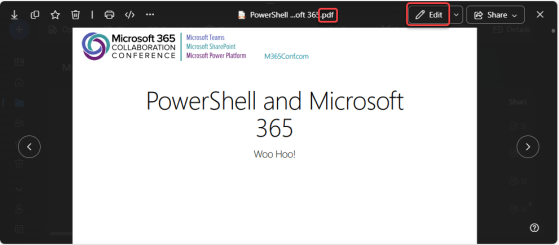
Have you ever had a PDF file where you’d like to extract certain pages to create a new PDF file, but you don’t have any software (that you know of) that would allow you to do that? Now you do! You can use OneDrive on the web to open up a PDF file and extract selected pages to make a new PDF file. Here’s how that works…

Compressing your PDF files in OneDrive on the web

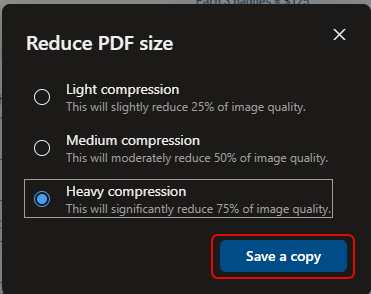
It’s not unusual to have large PDF files stored in your OneDrive that you’d like to email or share, but that are too large to do so. There’s now an option in OneDrive on the web that allows you to compress that PDF file (without destroying the original). Here’s how that works…

Browsing for media files in OneDrive on the web

OneDrive is a great repository for all your files that you have stored on your computer, but it can be really hard to find that particular picture or video stored on your OneDrive if you don’t know the exact search terms. Now you can “filter” your OneDrive content to only show you your media files, such as pictures or videos. Here’s how easy that is…

Marking favorite documents for referencing in OneDrive

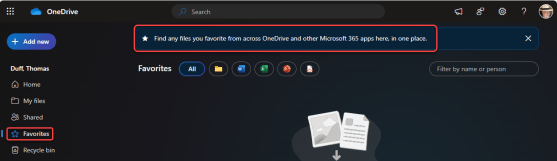
Throughout OneDrive and SharePoint, you probably have a number of “favorite” documents that you reference on a regular basis. But how do you keep them in a place where you can easily reference them on an ongoing basis? You can use the Favorites feature in OneDrive to “bookmark” those documents in a single list to refer back to them when needed. Here’s how that works…