Using the Timer feature in Microsoft Teams meetings

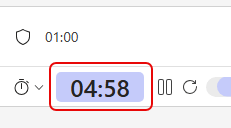
Have you ever been in a Teams meeting where you have an agenda item that should take a set amount of time, like five minutes? Do you still find yourself stuck on that agenda item after 15? Teams has a new feature that can help control time sprawl on those discussions… the Timer! Here’s how that works…

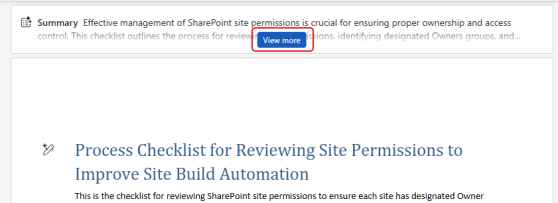
Getting a document summary in web-based Microsoft Word

If you are looking at a large document in the browser-based version of Microsoft Word, you might feel a bit overwhelmed when it comes to getting an overall understanding of what it contains. Copilot can help with a Summary at the top of the document, along with a variety of options to tailor your overview to what you need. Here’s what that looks like…

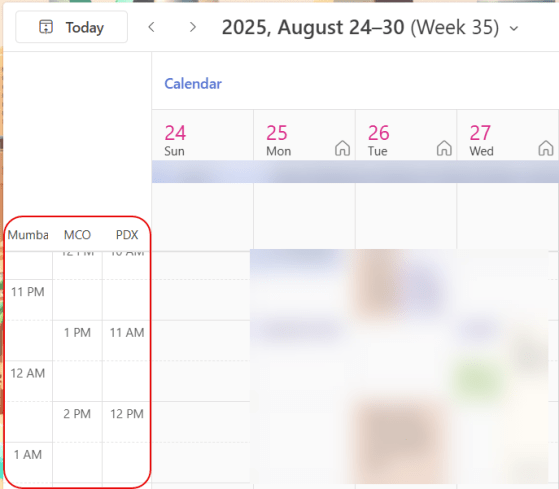
Time zones in Outlook calendars (revisited)

I did a tip on time zones in Outlook calendars back in 2022 when the feature first came out, but I wanted to revisit it given how certain work environments have changed. When you’re using the Outlook calendar (in the browser, New Outlook, or classic Outlook), you can show multiple time zones to the left of the time slots. While it’s easy to make one- or two-hour time zone shifts in your head, it’s a lot harder if your team is off-shore and scattered in different countries. Using this feature can be a lifesaver when it comes to knowing if and when to schedule a meeting for a certain time. Here’s how that works…

Multiple emoji reactions in Microsoft Teams

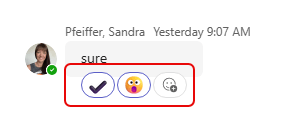
We all love to use emojis as reactions to a message in a chat or channel. But sometimes, a single reaction doesn’t quite explain your true feelings about something. 🙂 Now, you can put multiple emojis on a message to get your *real* message across. Here’s how that works…

Saving messages in Microsoft Teams

With all the chats and channels you are part of in Microsoft Teams, you may have a lot of trouble trying to flag individual items you want to come back to. You can leave them as Unread, but that’s rather cumbersome. Now you can mark an individual message with the Saved indicator, and then navigate to all the items you have saved. Very convenient! Here’s how that works…

Turning on Smart Suggestions in Outlook in the browser

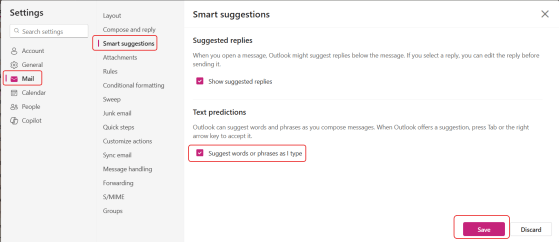
You may have noticed that starting around the first of July, Outlook (in the browser and New Outlook) stopped giving you type-ahead suggestions as you were typing. Looking into that, I found that Microsoft rolled out a change that turned that feature off, even if you already had it turned on. The reasoning was to “improve user control and reduce unintended suggestions.” Unfortunately, I personally liked it. Here’s how to turn it back on so that the text predictions show up again…