Episode 227 of the Microsoft 365 Pulse Roadmap webcast is now out on YouTube. Join Tamara Bredemus and myself as we cover this week’s updates.

Learning new Microsoft Office tricks in "just a minute"
Episode 227 of the Microsoft 365 Pulse Roadmap webcast is now out on YouTube. Join Tamara Bredemus and myself as we cover this week’s updates.
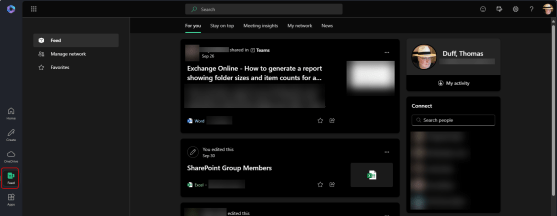
If you use office.com as your Microsoft 365 “home page”, you might have seen and/or used the Feed feature found on the left-side navigation rail. This is your heads-up that the Feed feature is being retired starting on November 1st, 2024. It’s not a feature that we’ve talked about much, and I’m going to guess that a fair number of people are thinking right now… “What’s Feed?” Read on for a bit more info…
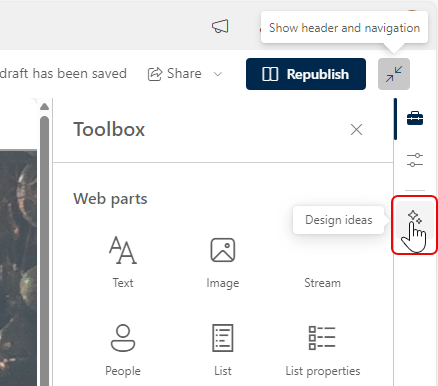
If you struggle with coming up with nice layouts on your SharePoint Pages, the new Design Ideas feature will be of interest to you. It can help you come up with design options that you may not have thought of (or like me, are incapable of). Here’s how that works…
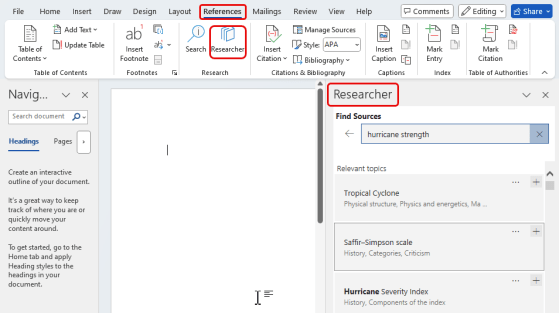
If you are a user of Microsoft Word and you rely on the Researcher feature in that application, here’s a heads-up that the feature is being retired by Microsoft starting towards the end of December 2024 with a complete retirement by the end of January 2025. Here’s what that feature looks like…

If you’ve been around Microsoft Teams for any length of time, you’ve probably heard (or made) the request to be able to change the name of the General channel to something more descriptive or useful. While you’ve been able to change channel names on other channels, the General channel has always been locked down… until now! It’s now possible to change the name of the General channel to something that better suits your needs. Here’s how that works…

Episode 226 of the Microsoft 365 Pulse Roadmap webcast is now out on YouTube. Join Tamara Bredemus and myself as we cover this week’s updates.
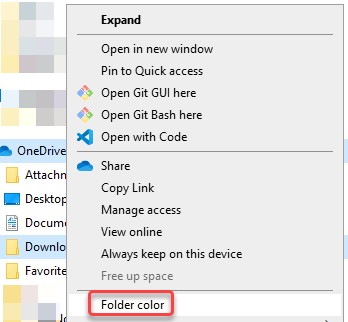
Some time ago, Microsoft added a feature to allow you to change the folder color in a SharePoint or OneDrive library. That color would show up in Windows File Explorer, but you couldn’t set the folder color from there. But… now you can! Here’s what that looks like and how it works…
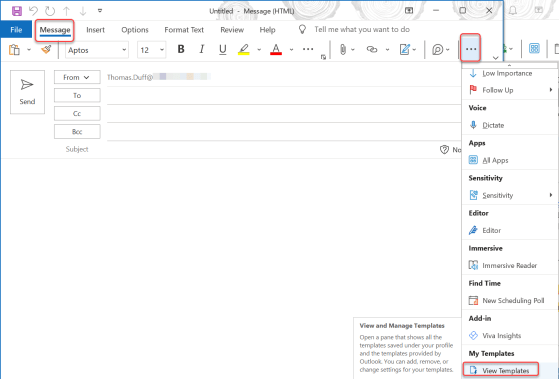
Do you often have short repetitive emails that you send out, and you wish there was an easier way to create the emails without having to retype them or use copy and paste? You might want to check out the My Templates feature in the Outlook client. Here’s how it works…
Episode 225 of the Microsoft 365 Pulse Roadmap webcast is now out on YouTube. Join Tamara Bredemus and myself as we cover this week’s updates.
 One Minute Office Magic