Episode 276 of the Microsoft 365 Pulse Roadmap webcast is now out on YouTube. Join Jennifer Mason, Tamara Bredemus, Matthew … More

Learning new Microsoft Office tricks in "just a minute"
Episode 276 of the Microsoft 365 Pulse Roadmap webcast is now out on YouTube. Join Jennifer Mason, Tamara Bredemus, Matthew … More
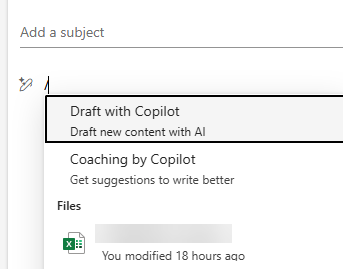
Microsoft announced today that the Context IQ feature in New Outlook and Outlook on the web will be retired on March 16th, 2026. This is the feature that provides you a drop-down menu of items when you add a / to the body of your email. Here’s the announcement…
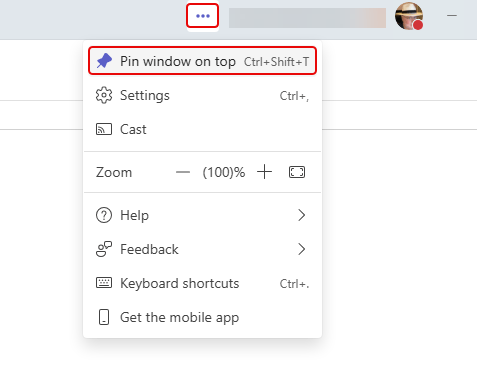
This is something I’ve never noticed before, and I can see it confusing someone if it gets set inadvertently. You can pin your Microsoft Teams window on top of everything on your screen. That means that anything you launch on that screen is “invisible” until you minimize your Teams window. Here’s what that looks like and how to change the setting…
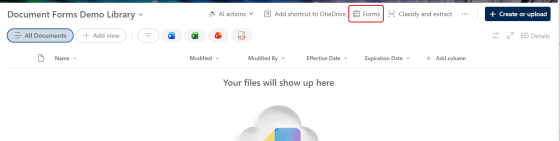
You may be used to using the Forms feature in a SharePoint list as a quick way to gather initial information for a list item. Now, you can use that same feature to collect a file and associated metadata in a SharePoint document library. This is a great way to make sure people enter the associated metadata for a file without having to take extra steps. Here’s how that works…
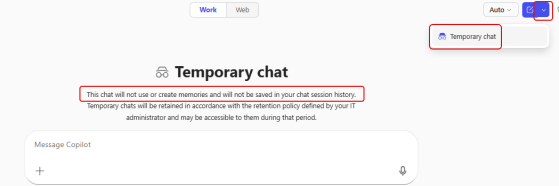
I ran across something interesting today when I was using Copilot. I found a feature called Temporary chat. Here’s what it looks like and why you might want to use it…
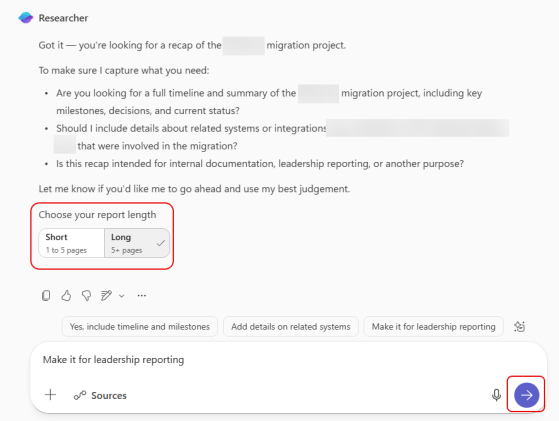
When you use the Researcher agent in Microsoft Copilot, it can generate a huge amount of information. But that might be overkill for what you want. Now you get the opportunity to give some guidance on how long the report should be. Here’s how that works…

Episode 275 of the Microsoft 365 Pulse Roadmap webcast is now out on YouTube. Join Tamara Bredemus and Thomas Duff as we cover this week’s updates.
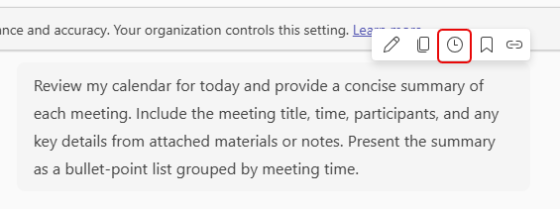
It’s not uncommon to have prompts that you run reach morning (or at other parts of your day) to gather information that you will need for various events. Instead of triggering each of those prompts manually, you can schedule those prompts to run at a set time every day (with a few caveats). Here’s what that looks like…
 One Minute Office Magic