In Microsoft Teams, you can choose to filter your chats and channels to only show unread items. However, that makes it difficult to see or get to other channels that do not have unread items. Now you can use a special icon to see chats and channels with read items so you can quickly navigate to them. Here’s how that works…
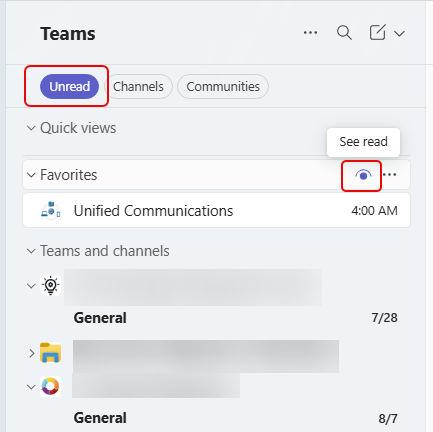
In this example, I’m filtering to just see Unread items in my channels. If I hover over my Favorites section, I see an eye icon to let me see what channels I have that don’t have unread messages:
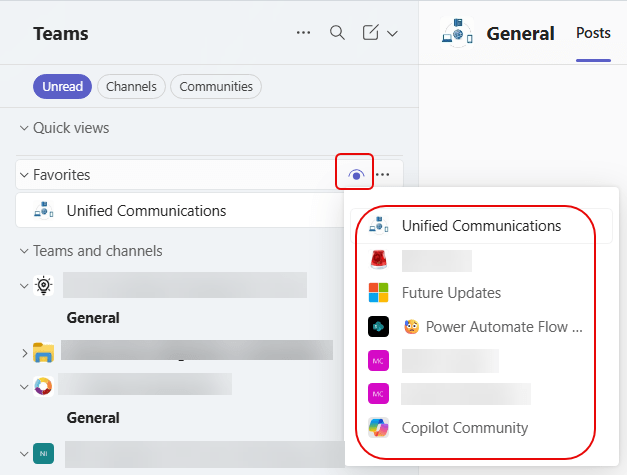
When I click on the eye icon, I see a list of channels that have no unread messages, and I can click on those to quickly navigate to that channel: