If your organization is spread out over multiple time zones, it can be hard to set up a meeting if you’re not aware of what time it might be for a particular group of people. Maybe a 4 pm meeting is good for you on the west coast of the US, but it would be 7 pm for those on the east coast. Now, if you’re using Outlook on the browser, you can see the attendee time zones when using the Scheduling Assistant. Here’s what that looks like…
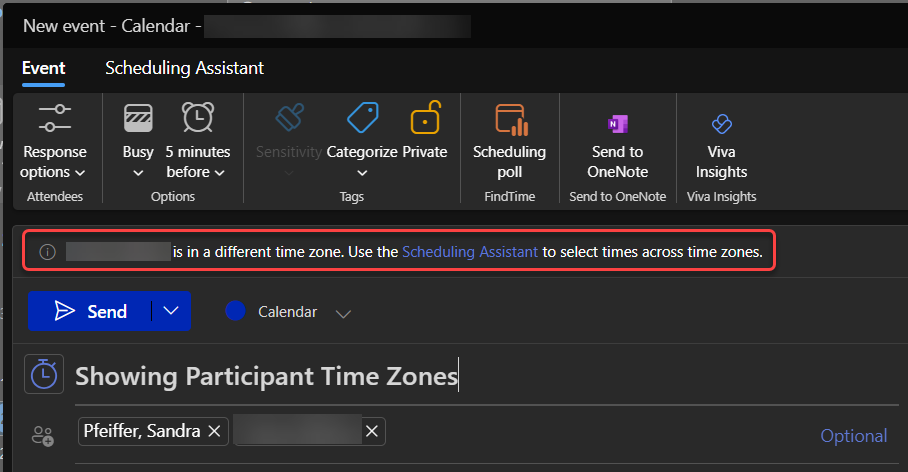
In this example, I started to book a meeting for three people. However, when I selected the names of the attendees, I was presented with a tooltip that told me that one of the individuals was in a different time zone than my own, and I could use the Scheduling Assistant to get more information:
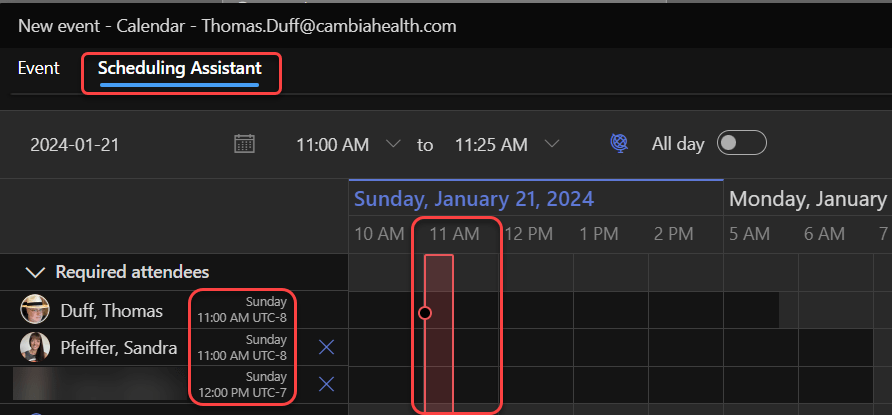
In the Scheduling Assistant layout, I could see what person and what time zone was represented, and I have the option to book the meeting at a different time that may not be potentially inconvenient to one or more of the attendees:
Remember… just because it’s a normal time for you doesn’t mean it’s a “normal” time for your coworkers. 🙂

 One Minute Office Magic