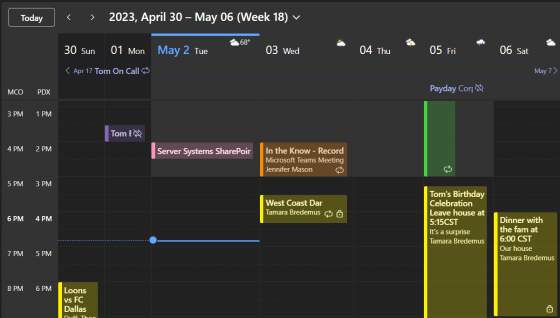
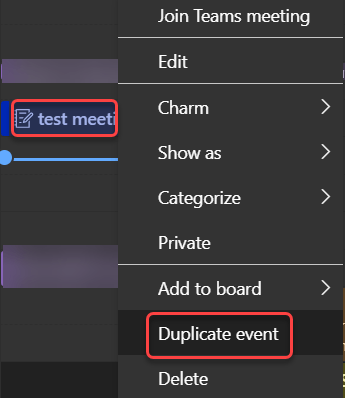
If you’re using Outlook on the web, you have a new feature that can be very useful. You can now choose to have meetings that you decline show up in your calendar, but not mark that time as busy. This is great when you want to be able to get back to a meeting invite that may have files or agenda information that you need to view at a later time. Here’s how that works…
Tag: Outlook
Receiving Shared Calendar notifications in Outlook
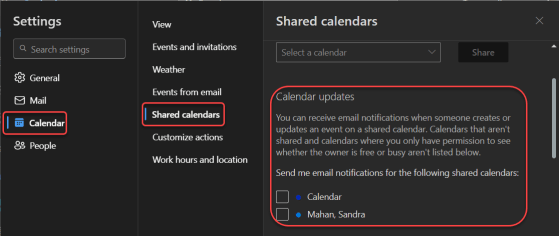
If you are part of a shared Outlook calendar, it can be frustrating to try and keep up with changes to that calendar that you didn’t make. Now, using the web-based Outlook calendar, you can access a new setting that will allow you to receive notifications as changes are made to that shared calendar. Here’s how to set that up…
Reading Pane Background Image for Outlook on the web
When you’re working in Outlook on the web, you may have noticed that by default, the reading pane is just a blank canvas. If you’d like to “jazz it up a bit”, you can put a background image on the reading pane to add some color. Here’s how that looks and works…
Pinning an email to the top of your browser-based Outlook inbox
Have you ever had an important email that you want to keep at the top of your inbox no matter how old it is? You can do that in the browser-based version of Outlook by pinning it. Here’s how that looks…
How to remove someone from appearing in your Junk Email folder in Outlook
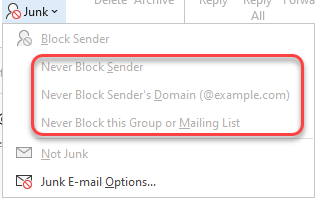
It’s not unusual to have emails appear in the Junk Email folder in Outlook. However, you may find that a particular sender or an email domain that’s going to Junk Email should really be considered a “safe sender” and appear in your Inbox. Here’s how to make that happen in Outlook, both for the Outlook client and for Outlook on the web.
Changes in selecting emails in Outlook on the web
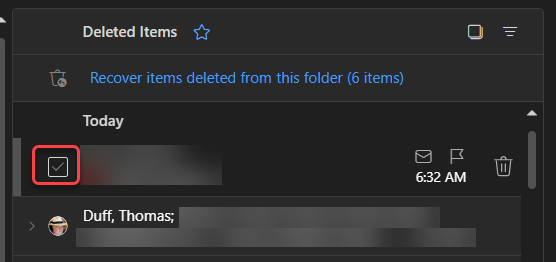
It used to be that in Outlook on the web, you’d see round circles that you could select to perform actions on an email item, such as deleting one or more emails. Microsoft has made a bit of a change in how that now displays and what you need to do to get the circles to appear. Here’s how it works now…
Managing your calendar with the hybrid work hours and location feature
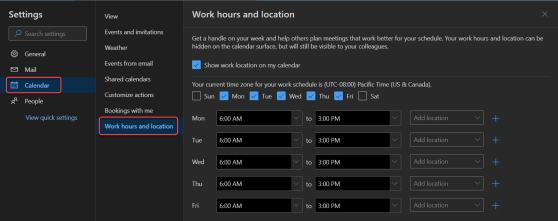
Microsoft embraces the fact that your work environment is flexible and can change with little notice. There’s a new feature for your Microsoft calendar in Outlook (currently the web-based version) that allows you to let people know your work hours and locations even though they may be different for every day of the week. Here’s how that works…
Filtering out calendar entries on Outlook for the web
If you’re like me, you often screen share and demo things for your customers. But when it comes to showing off things like my calendar, there are times when I’d rather not show things that I have marked as private. I recently learned you can filter your calendar display on Outlook for the web. Here’s how that looks…
Duplicating a meeting with Outlook on the web
Have you ever had a rather complex meeting to set up, complete with a number of attendees and a lot of information in the body of the invite? And then, much to your dismay, you have to set up the same meeting again on a different day, complete with all the work it took you to get the first one set up? Did you know there’s a Duplicate Event option for the calendar in Outlook on the web? Here’s how that works…