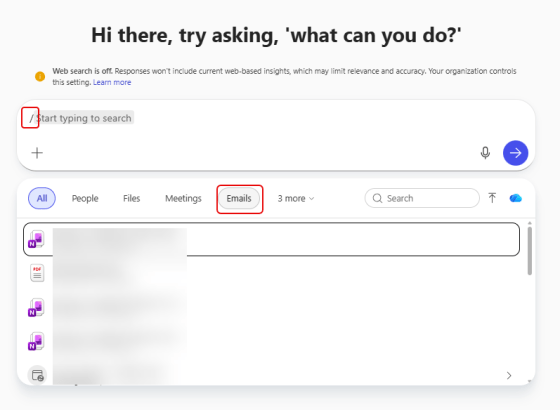
If you’re using Copilot Chat, you’re probably familiar with providing one or more files for grounding your prompt. You may not know that you can also ground your chat in emails. This means you can take an informational email and use it in your Copilot chat session for asking questions. Here’s how that looks…
Tag: Copilot
Getting Audio Recaps from Microsoft Teams meetings
With everyone’s busy schedules, it’s not unusual to have to miss meetings where you are double- (or TRIPLE-) booked. Then you need to try to find time to listen to the recording, sometimes at double-speed to save time. Now if you have Copilot, you can use the Audio Recap feature to get a concise synopsis of the meeting in a fraction of the time. This is how it looks and works…
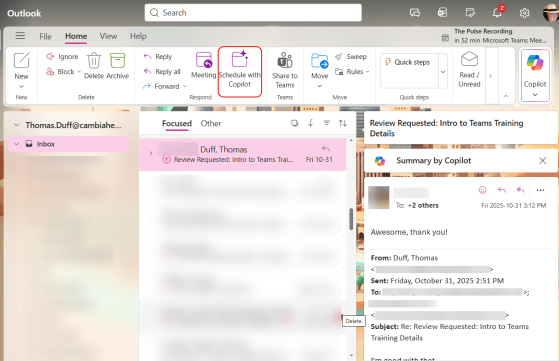
Using Copilot to create a meeting invite from an email thread
It’s not unusual to have a long email thread that is looking like a meeting needs to occur. But trying to find all the people, summarize the agenda, and find the best possible time can be a real chore. However, using the Schedule with Copilot feature in New Outlook/Outlook on the web can most of that work for you. Here’s how that works…
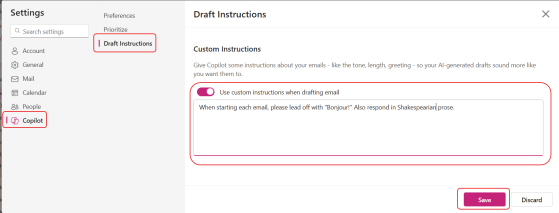
Custom Copilot Draft Instructions for New Outlook/Outlook on the web
One of the best features of Copilot is that it can help you draft emails and replies based on custom instructions you provide Copilot in the New Outlook and/or Outlook on the web settings. Here’s how you can update those instructions and how it works…
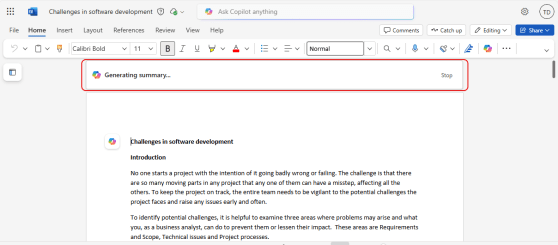
Getting a document summary in web-based Microsoft Word
If you are looking at a large document in the browser-based version of Microsoft Word, you might feel a bit overwhelmed when it comes to getting an overall understanding of what it contains. Copilot can help with a Summary at the top of the document, along with a variety of options to tailor your overview to what you need. Here’s what that looks like…
Sharing files along with a Copilot summary
SharePoint and OneDrive make it really easy to share files with others, but by default the recipient gets an email with the file link, and that’s about it. Wouldn’t it be nice to give them a summary of what’s in the file when they get that link email? With Copilot, it’s really simple. Here’s how that works…
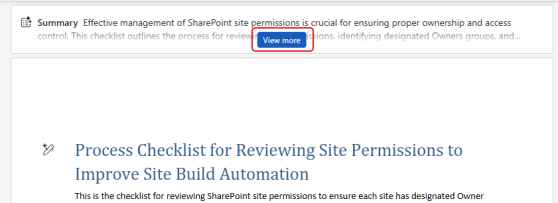
Using Copilot to get a summary of a PDF document
I recently covered how Copilot provides an automatic summary of a Word document from SharePoint or OneDrive. Copilot also does much the same thing with a PDF document, but it’s not as “automatic” as it is with Word. Here’s how the summary works for PDFs…
Using Copilot to get a summary of a Word document
Have you ever opened up a large Word document from SharePoint or OneDrive, and you wish you could easily get a summary of the document automatically so that you have some idea of what it contains? Now, Copilot will provide that for you! Here’s what it looks like when you open that large Word doc…
Theming Outlook on the web with Copilot
Here’s a fun thing you can do with Copilot. If you’re using Outlook on the web, you now have an option to allow Copilot to come up with a theme for Outlook. It may not be quite “ready for prime time”, but it’s kind of fun. Here’s what it is and how it works…