
If you’re looking for a small color accent for all your Outlook folders, you can now do that using the Change Color feature. Here’s how that works and looks…
In this example, I right-click on my Copilot folder, and I see the Change color option in the pop-up menu. When I select that, I get 15 color choices for my folder (as well as returning it to the normal automatic setting):
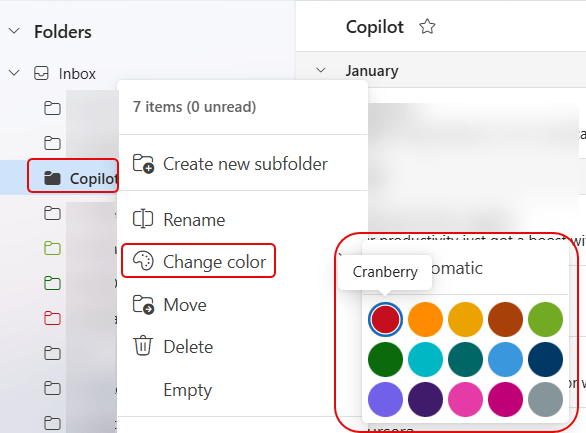
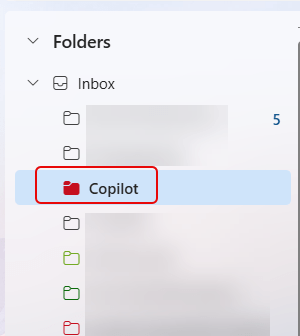
Since I selected Cranberry, my Copilot folder now shows in that color when I’m in that folder:
If I’m not actually in the Copilot folder, the outline color is cranberry:
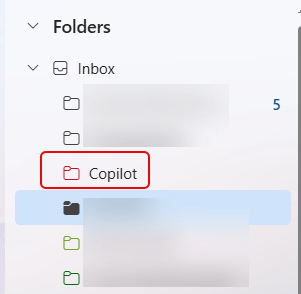
I personally would prefer the folder color to always be filled in, as it’s a bit too subtle with just the outline. But if you like a splash of color to help quickly identify a particular Outlook mail folder, you now have it!


Are the colors supposed to sync between “New” and “Web”?
LikeLike
yes.
LikeLike