One thing that has been missing from Microsoft Teams meetings is the ability to download a list of people who were on the call. That option is now available for the owner of the meeting so long as they download it before they leave the meeting. Here’s how that works…
Turning off message preview in Microsoft Teams chat notifications
Have you ever been in a situation where someone is looking over your shoulder at your screen, and a chat notification shows up with a message preview you’d have preferred not been seen? Same thing with sharing your screen (and not being in Do Not Disturb mode), and someone sends you “commentary” on someone in the meeting?
Awkward…
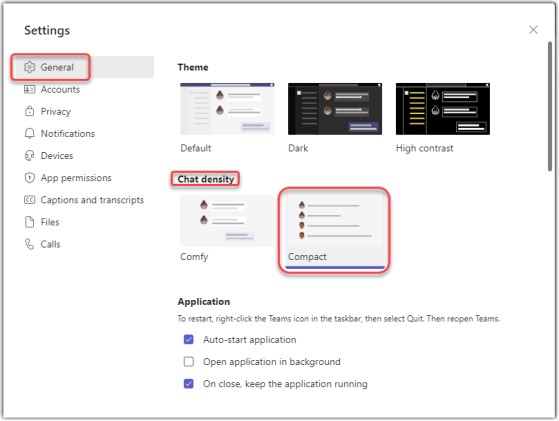
Now you can turn off the message preview function in Microsoft Teams chat notifications. Here’s how that works…
Scheduling page publishing in SharePoint Online
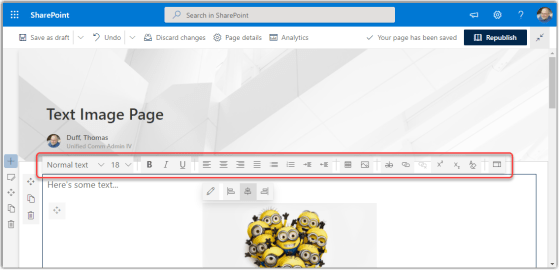
This is a feature that our organization has been asking for ever since we went live with SharePoint Online… the ability to schedule when a page should be published. If you have a Modern Page Library (often called Site Pages), it’s pretty easy. Here’s how it works…
Transferring a Microsoft Teams meeting to another device
I’m sure everyone’s been on a Microsoft Teams meeting that is running longer than expected, and they need to leave for an appointment or errand. Unfortunately, hanging up on the call may not always be an option. Now, you have the option to transfer the meeting to another device, such as your iPhone. Here’s how it works…
Creating a new list from an existing list in SharePoint Online
This is a feature I haven’t used as much as I should, as it would save me a ton of time. Even better, I can create new lists from lists in *other* sites, too! Here’s how it works…
Sending a Microsoft Teams conversation item to Outlook
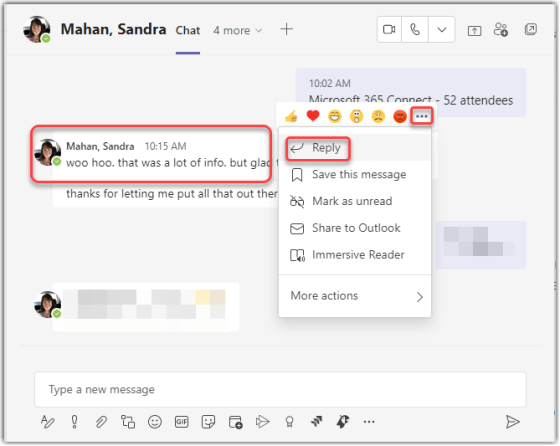
In a perfect world, everyone you need to involve in a chat or channel conversation in Microsoft Teams will be present in that particular Teams workspace (or even in Teams in general). But the world is not perfect, and many people still live in their inbox. If you need to inform someone of a Teams chat or conversation, you can email them a copy of it so that they will know what’s going on. Here’s how you do that…
Cortana Daily Briefing emails
If you have a ton of items on your calendar and in your inbox each morning, it can be a bit overwhelming to sort through things and figure out what needs attention right away. There’s a new feature in Microsoft 365 called the Cortana Daily Briefing email. Here’s what’s going on there…
Using Live Captioning in a Microsoft Teams meeting
I will admit I used to make fun of Microsoft’s ability to do real-time captioning, as the results tended to be… “entertaining”. But a lot has changed since then, and now Live Captioning in Microsoft Teams meetings works pretty well, considering how hard it is to adapt to voices and accents. Here’s how it works…
New Image column type in SharePoint Online Lists and Libraries
If you want to store an image as part of a SharePoint Online list or library item, you can now do that! Microsoft has added a new Image column type, and here’s how it works…