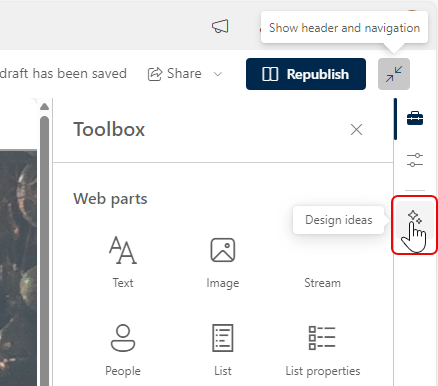
When you’re creating a page in SharePoint, the Text web part is a workhorse. Recently, Microsoft added a few enhancements to the web part to give you some additional features. Here’s what they are…
Keeping two words together on a line in Microsoft Word
Here’s a quick tip I learned today from my wife Tamara. If you’re typing along in Microsoft Word and you end up with two words split between two lines, you can use this tip to make sure those two words stay together on a single line. Here’s how that works…
Microsoft 365 Pulse Roadmap webcast – Episode 216
Episode 216 of the Microsoft 365 Pulse Roadmap webcast is now out on YouTube. Join Jennifer Mason, Tamara Bredemus, Adam Ochs, and myself as we cover this week’s updates.
Microsoft 365 Pulse Roadmap webcast – Episode 215
Episode 215 of the Microsoft 365 Pulse Roadmap webcast is now out on YouTube. Join Jennifer Mason, Tamara Bredemus, and myself as we cover this week’s updates.
Microsoft 365 Pulse Roadmap webcast – Episode 214
Episode 214 of the Microsoft 365 Pulse Roadmap webcast is now out on YouTube. Join Tamara Bredemus, Adam Ochs, and myself as we cover this week’s updates.
Microsoft 365 Pulse Roadmap webcast – Episode 213
Episode 213 of the Microsoft 365 Pulse Roadmap webcast is now out on YouTube. Join Tamara Bredemus, Jennifer Mason, and myself as we cover this week’s updates.
Using pre-filled forms in Microsoft Forms
Microsoft Forms is a great way to collect information from people, such as feedback after a session. But wouldn’t it be nice if you could “pre-fill” part of the form based on certain information specific to the people who attended a particular session? Now you can using the Pre-Fill Responses feature in Microsoft Forms. Here’s how that works…
Using Split View on your Outlook on the web calendar
If you have two or more calendars selected in Outlook, it can be hard to tell what entry belongs to what calendar. If you’re using Outlook on the web, you can use the Split View option on your calendar so that each one displays as a separate calendar. Here’s what that looks like…
Using custom background images in SharePoint page sections
Not too long ago, Microsoft added some additional colors and gradients that you can use for section backgrounds on SharePoint pages. Now they’ve added one more feature that opens up a lot of possibilities… custom image section backgrounds. Here’s what that looks like and how it works…