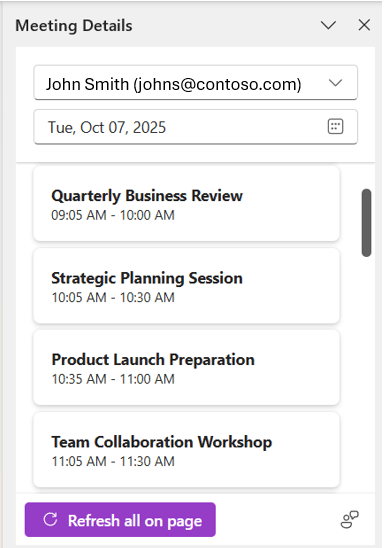
Another Microsoft feature retirement is coming up, this time in OneNote. If you’re used to using the Refresh all on page button in the Meeting Details pane in OneNote for Windows, it will be going away by December 15th, 2025. Here’s the Microsoft announcement about the retirement and options…
Category: OneNote
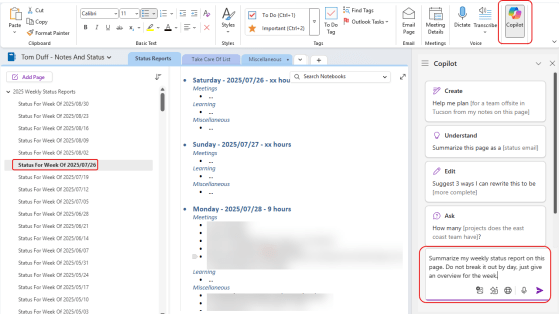
Using Copilot in OneNote
If you use OneNote, you no doubt have a lot of information locked away in there. However, it might be … More
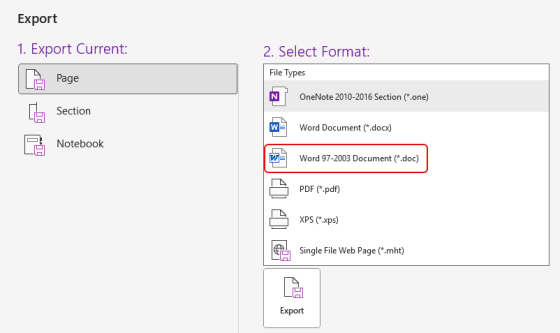
Exporting Word 97-2003 document files in OneNote for Windows desktop is being retired
Nearly 30 years after it first came out, the Word 97-2003 Document format (*.doc) will no longer be an option when you export a OneNote page as of July 28th, 2025. Here’s what that will look like…
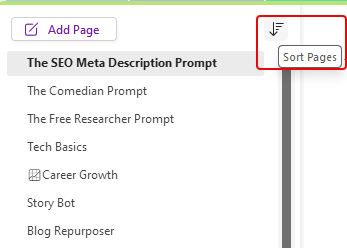
Sorting pages in a OneNote section
A question that is often asked is how to sort pages in a OneNote section. You can always drag and drop the pages in whatever order you want, and you can create new pages under an existing page by right-clicking on the existing page. But what if you want to sort the entire list alphabetically or by created order. You can do that by using the Sort icon at the top of the list of pages. Here’s how…
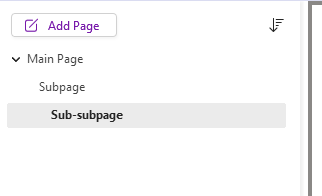
Having sub-subpages in OneNote
When you’ve been using a software package for a long time, you get set in your ways about what it can and cannot do. Somewhere along the way, I became certain that you could only have one level of subpages in a Microsoft OneNote section. I even told a group that during a demo. Someone was kind enough to let me know that you could make a sub-subpage! I wasn’t the only person on the call that wasn’t aware of that feature, so I’m sharing it here “just in case” you didn’t know it either…
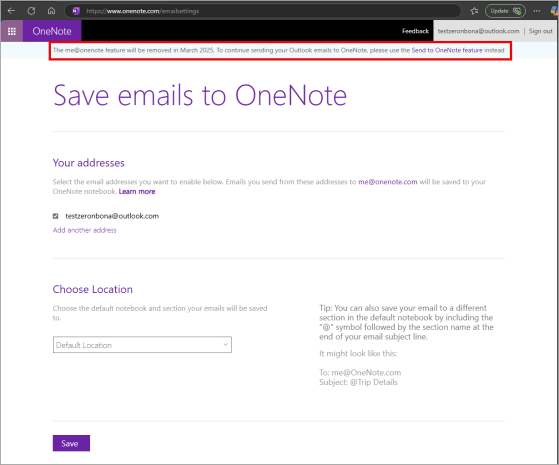
Microsoft OneNote: The “me@onenote” feature will retire; use “Send to OneNote” instead
It seems we’ve been seeing a number of announcements for features that Microsoft is retiring. This particular one, “me@onenote” is one that I have to admit I have NEVER heard of, much less used. However, if you are smarter than me and figured this out at some point, you need to know that it’s going away as of March 26th, 2025. Here’s the announcement information from Microsoft…
Using Loop in OneNote
Microsoft Loop is a great way to collaborate with others on your content, as a Loop component can show up in multiple places (like Teams and an email), and everyone is seeing and updating the content in real time (regardless of where they are). One of the few places where you couldn’t use Loop is in OneNote, which is something that can be useful for things like taking notes in a meeting. Now, you *can* use Loop in OneNote! Here’s how that looks…
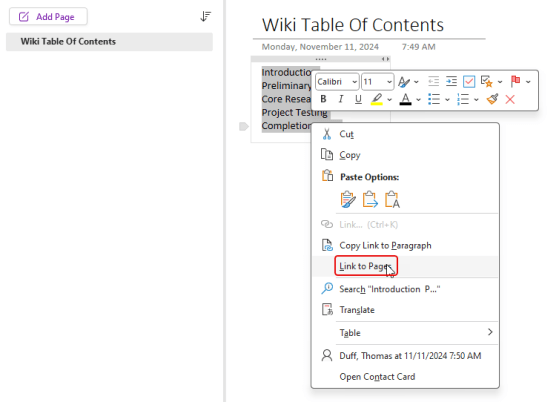
Creating wiki-style links in OneNote
Many people like to use wikis to create quick “sites” for documentation that can easily reference other pages in the wiki. When I was looking at some online content, I noticed a tip that is great for setting up a “pseudo-wiki” in OneNote with very little effort. Here’s how that would work…
Pinning your OneNote screen to always stay on top
Yesterday I had a question from one of my customers asking why, after their laptop upgrade, OneNote always opened as a full screen on the monitor, and new applications would launch behind the OneNote screen. The only way they could see the other application was to minimize OneNote. I was completely unaware that there is an Always on Top setting in OneNote! Here’s where that is…