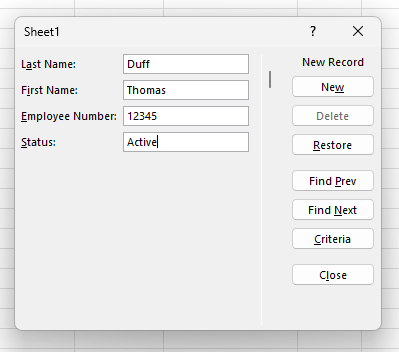
Here’s a new one I just learned about today… When entering data into an Excel table, I was used to just adding data to the cell, tabbing to the next cell, and repeating until I was done. If the table required horizontal scrolling, it could get a bit cumbersome. But then I learned you can use the built-in Data Entry Form in Excel to enter that data. Here’s how that works…
Category: Excel
Line breaks within a cell in Microsoft Excel
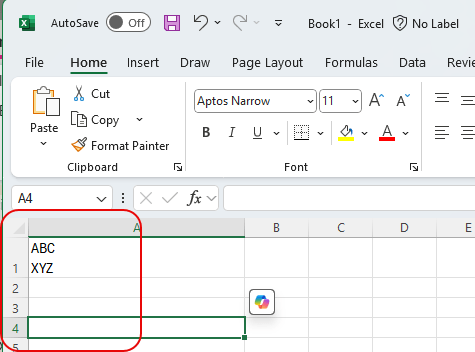
Not being an Excel guru (or maybe even a novice!), I have run into issues before where I have data in a cell and I want to have a line break within the cell to continue typing. However, when I hit Enter, it goes to the next cell. I finally learned how to keep that line break in the same cell, and I’ll share it with you now… and also help myself to reinforce that skill. 🙂 Here’s how it works…
Combining Excel columns with the ToCol function
Tamara (my wife) called me into her office yesterday to share this tip she just learned, and it’s pretty cool. Have you ever had multiple columns in Excel that you wanted to combine into a single column without copying and pasting? You can do that with the ToCol (To Column) function. Here’s how that works…
Microsoft Excel: Organization data types retirement
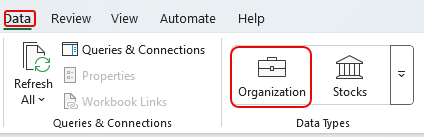
Microsoft just announced another feature retirement, this time in Excel. The Organization data type is being retired as of July 31, 2025. Here’s the information about the retirement…
Using Flash Fill in Excel
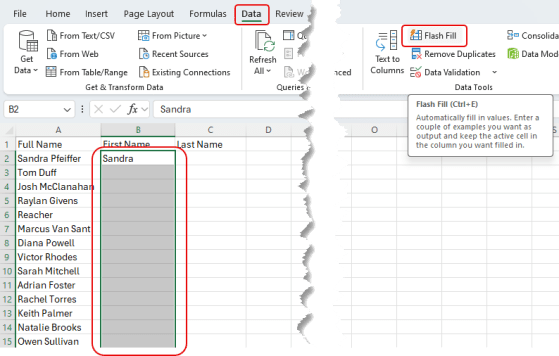
Have you ever had a column of data in Excel (like full names) and wanted to split out the first name into one column and the last name into another? Furthermore, are you less than adept when it comes to formulas in Excel? Perhaps the Flash Fill feature can be your knight in shining armor! Here’s how that works…
Using the Show Changes feature in Excel in the browser
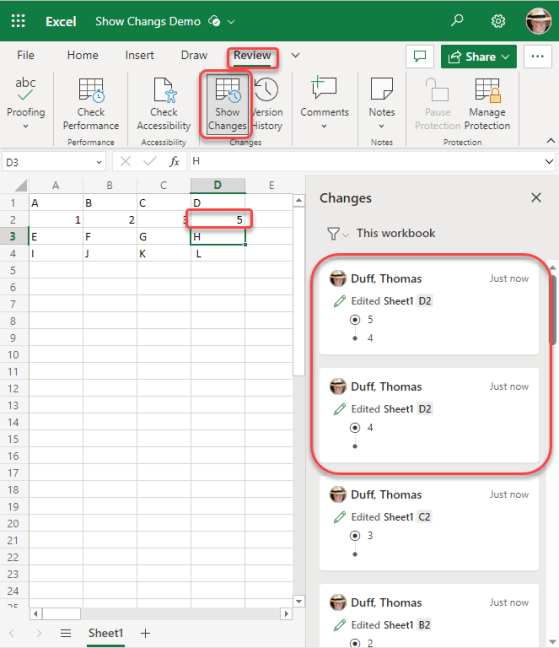
Sandra found a cool new feature yesterday that works in the browser-based version of Excel. It’s called Show Changes, and it’s like having a step-by-step version history of everything in your spreadsheet. Here’s what it looks like…
Using the Tell Me feature in Microsoft Office
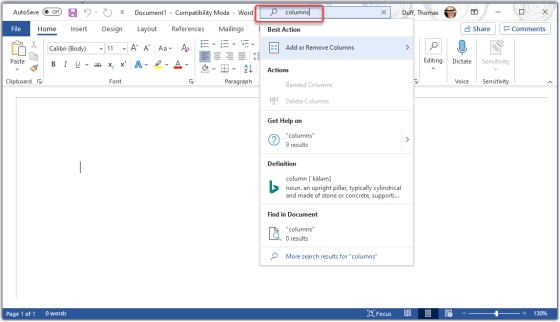
Tamara Bredemus wandered into my office yesterday and said “here’s a tip you might want to use…”, and she was right! You can ask the Tell Me feature in Microsoft Office to show you how to accomplish tasks without having to figure out the exact search terms or find the menu options. Here’s how it works…
Automatically opening selected files when starting Excel
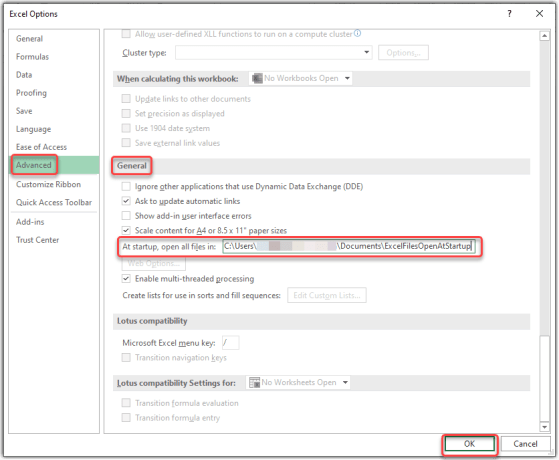
I ran across this tip today at TheExcelAddict.com site – Open A Specific Workbook Every Time Excel Starts. It shows how you can set up Excel to automatically open all the spreadsheet files in a particular folder when you start Excel. Here’s how that works…
Creating multiple lines in an Excel cell
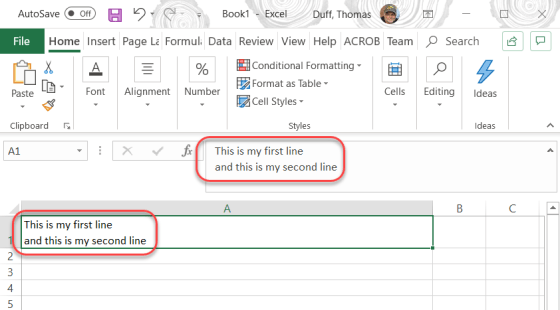
To be honest, this tip is probably more for me so that I remember and don’t forget how it works. 🙂 There are times when I want to have multiple lines in a spreadsheet cell, and not just lines that wrap around. To get that hard linefeed, you just have to use ALT-Enter, and you’ll have a new line in your cell. Here’s what that looks like…