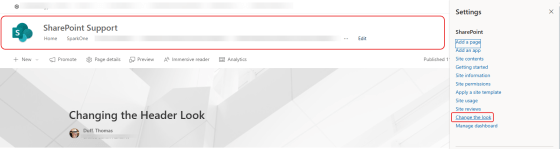
Out of the box, the header on your SharePoint site pages are pretty plain. But there is a way that you can add some flair to it, especially if you want to make it stand out or apply a bit of theming. You do this using the Change the look option. This is now it works…
Author: oneminuteofficemagic
Searching for Settings in Microsoft Teams
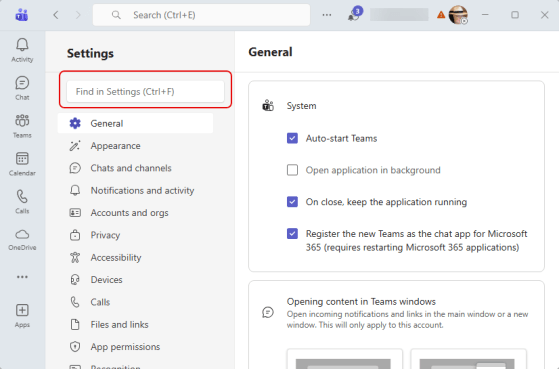
Have you ever gone into the Settings for Microsoft Teams to change something, and found yourself clicking through every single option looking for what you’re after? Now you can just search for the option using the Settings search. Here’s what that looks like:
Popping out the chat window in a Microsoft Teams meeting
Sometimes screen real estate can become an issue if you have a lot of things going on in a Teams meeting. You can now pop out the Chat pane into a separate window, however. That can give you more room to see screen sharing by others. Here’s how that works…
Save a meeting invite as a draft in New Outlook and Outlook on the web
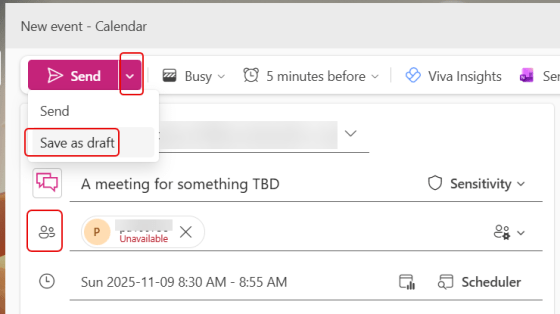
Have you ever needed to create a new meeting invite on your calendar, but you don’t quite have all the details yet? It’d be nice to be able to create a “draft” entry of that invite to flag it on your calendar so it doesn’t get overridden. Now you can! Here’s how that works…
Microsoft 365 Pulse Roadmap webcast – Episode 266
Episode 266 of the Microsoft 365 Pulse Roadmap webcast is now out on YouTube. Join Tamara Bredemas and Thomas Duff as we cover this week’s updates.
Microsoft 365 Pulse Roadmap webcast – Episode 265
Episode 265 of the Microsoft 365 Pulse Roadmap webcast is now out on YouTube. Join Tamara Bredemus and Thomas Duff as we cover this week’s updates.
Microsoft Publisher will no longer be supported after October 2026
While Microsoft Publisher isn’t something that’s being widely used (like Word or PowerPoint), it does have a history of being a go-to piece of software for creating calendar, business cards, and newsletters over the years. Microsoft has announced that they will be decommissioning Publisher when it reaches end of life in October 2026. If you have Publisher content that you want to retain, you should read the Microsoft announcement and start taking the appropriate steps to save the content in other formats.
Retiring the “Refresh all on page” button in OneNote Meeting Details pane
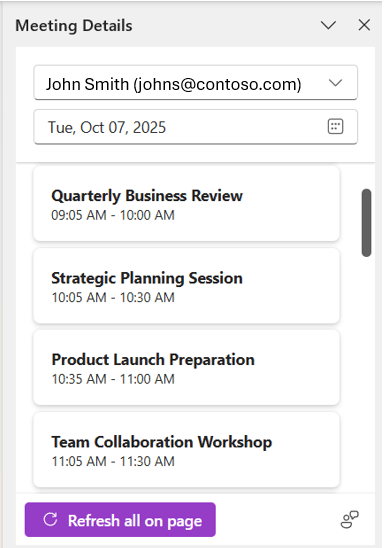
Another Microsoft feature retirement is coming up, this time in OneNote. If you’re used to using the Refresh all on page button in the Meeting Details pane in OneNote for Windows, it will be going away by December 15th, 2025. Here’s the Microsoft announcement about the retirement and options…
Microsoft 365 Pulse Roadmap webcast – Episode 264
Episode 264 of the Microsoft 365 Pulse Roadmap webcast is now out on YouTube. Join Tamara Bredemus and Thomas Duff as we cover this week’s updates.