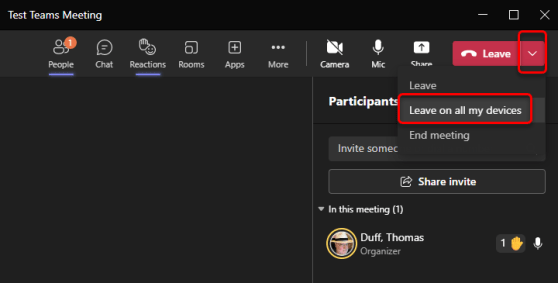
If you work with two monitors, you’ve probably wished you could do a better job of managing Teams during a meeting. More specifically, it’d be nice if you could have the shared content in a meeting move to a separate window so you can more easily work with the rest of Teams. Now you can! Here’s how that works…
Author: oneminuteofficemagic
Microsoft 365 Pulse Roadmap webcast – Episode 139
Episode 139 of the Microsoft 365 Pulse Roadmap webcast is now out on YouTube. Join and myself as we cover this week’s updates.
Transcribing an audio file in Word for the web
Have you ever interviewed someone, saved the audio file to your computer, and then had to start the laborious task of transcribing it? By using Word for the web, you can upload that audio file and Word will transcribe it for you! Sounds like a great way to get the majority of your transcription work done automatically. Here’s how it works…
Microsoft 365 Pulse Roadmap webcast – Episode 138
Episode 138 of the Microsoft 365 Pulse Roadmap webcast is now out on YouTube. Join Tamara Bredemus, Adam Ochs, and myself as we cover this week’s updates.
Using the Ranking question type in Microsoft Forms
When you’re creating a Microsoft Forms questionnaire, you might want to give people a list of options and provide the opportunity to move them around into a preferred order. You can do that with the Ranking question type. Here’s how that works…
Using Adjust Brightness and Soft Focus in your Microsoft Teams video meetings
High-definition cameras are great for some things, but there are times you *really* don’t want people seeing all the “fine detail” on your face during a video call. Microsoft Teams now has two settings that will help smooth things out a bit… Adjust Brightness and Soft Focus. Here’s how they work…
Microsoft 365 Pulse Roadmap webcast – Episode 137
Episode 137 of the Microsoft 365 Pulse Roadmap webcast is now out on YouTube. Join and myself as we cover this week’s updates.
3D (Fluent) emoji in Microsoft Teams
Another change that hit my Microsoft Teams desktop client is the change to the emoji palette. Instead of the flat 2D emoji, they are now “3D” and have some depth. The formal name that Microsoft calls the styling is Fluent emoji. Here’s what they look like, as well as hidden trick for the people emojis…
Changes “Coming Soon” to the Outlook client
I got the latest changes in the Outlook client the other day, and I saw a new button and toggle in the upper-right corner for Coming Soon and Try It Now. Of course, I had to click on those, and here’s what I found…