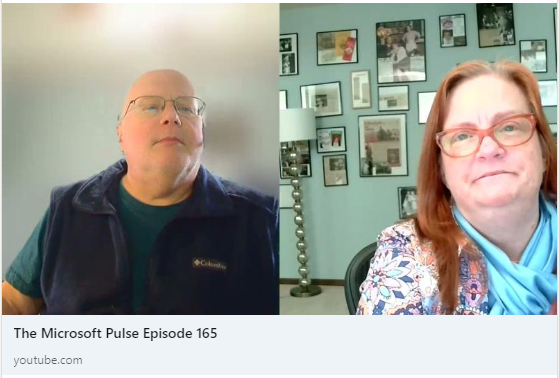
Episode 145 of the Microsoft 365 Pulse Roadmap webcast is now out on YouTube. Join Tamara Bredemus and myself as we cover this week’s updates.
Author: oneminuteofficemagic
The People web part now has a Medium setting
In your SharePoint Online pages, the People web part only had a small and large setting. This was, to borrow a theme from Goldilocks, either too cold or too hot. Now you have a Medium setting, which seems to be… just right. 🙂 Here’s how it works…
Microsoft 365 Pulse Roadmap webcast – Episode 144
Episode 144 of the Microsoft 365 Pulse Roadmap webcast is now out on YouTube. Join Tamara Bredemus, Adam Ochs, and myself as we cover this week’s updates.
Forms: Distribute your forms by using Teams as a new channel
Microsoft has a new feature for Forms that allows you to publish the form directly to a channel in Teams (instead of having to get a link and post it somewhere). Here’s what that looks like…
Microsoft Teams: Usability Improvements to In-Meeting Notifications
One of the things I’ve always found frustrating about Teams meetings is how all the various notifications show up all over the place. Chat messages in the lower-right corner, recording messages as a bar across the top, etc. Now with this set of changes, all the in-meeting notifications will be consistent and show up in a common area. Here’s what it looks like…
Using Page details for version history in SharePoint Online pages
Sandra “clicked a button” the other day, and noticed a cool feature in the Page details option at the top of a SharePoint Online page. You can examine the version history of the page, and see what web parts were edited or deleted. Here’s how that works…
Microsoft 365 Pulse Roadmap webcast – Episode 143
Episode 143 of the Microsoft 365 Pulse Roadmap webcast is now out on YouTube. Join Jennifer Mason, Tamara Bredemus, Adam Ochs, and myself as we cover this week’s updates.
Microsoft 365 Pulse Roadmap webcast – Episode 142
Episode 142 of the Microsoft 365 Pulse Roadmap webcast is now out on YouTube. Join Tamara Bredemus, Adam Ochs, and myself as we cover this week’s updates.
Simplified and Classic ribbon bars for Outlook on the Web
One of the difficult things to get used to when trying to convert over to Outlook on the Web (from the Outlook client) is that all the various options, buttons, and settings are in different places. Microsoft is trying to make that easier by adding a new ribbon bar to Outlook on the web. This brings it closer to the user experience you’d find in the Outlook client. Here’s how that works…