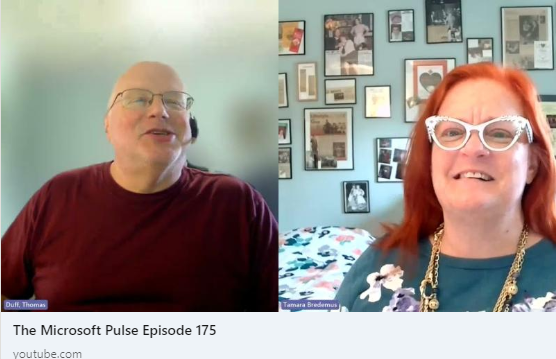
Episode 175 of the Microsoft 365 Pulse Roadmap webcast is now out on YouTube. Join Tamara Bredemus and myself as we cover this week’s updates.
Learning new Microsoft Office tricks in "just a minute"
Episode 175 of the Microsoft 365 Pulse Roadmap webcast is now out on YouTube. Join Tamara Bredemus and myself as we cover this week’s updates.

Episode 174 of the Microsoft 365 Pulse Roadmap webcast is now out on YouTube. Join Tamara Bredemus and myself as we cover this week’s updates.
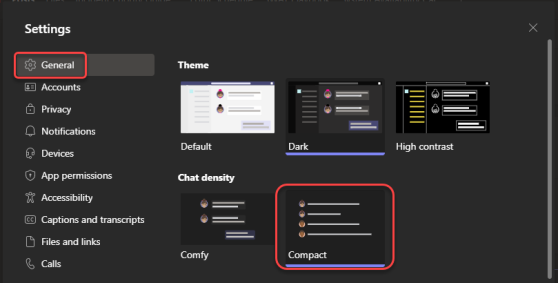
Microsoft Teams came out with a “compact” chat setting some time back, and it reduced the amount of white space between messages. However, I really didn’t like it as the time-stamp of the message didn’t display unless you hovered over it, and it was on the far side of the page. The recent changes to compact chat have fixed that and also hidden the message previews you see in the chat list. Here’s what that looks like…

Episode 173 of the Microsoft 365 Pulse Roadmap webcast is now out on YouTube. Join Tamara Bredemus and myself as we cover this week’s updates.
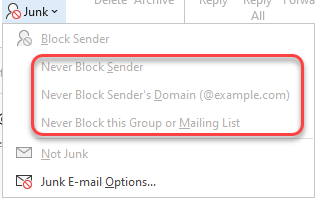
It’s not unusual to have emails appear in the Junk Email folder in Outlook. However, you may find that a particular sender or an email domain that’s going to Junk Email should really be considered a “safe sender” and appear in your Inbox. Here’s how to make that happen in Outlook, both for the Outlook client and for Outlook on the web.
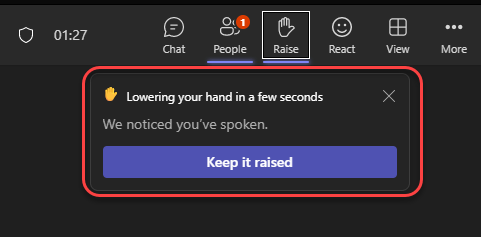
If you’re hosting a Microsoft Teams meeting and trying to moderate the lowering of hands after someone raises theirs, your job just got a bit easier. Teams will now automatically lower a person’s hand a few seconds after they stop speaking. Here’s what that looks like…
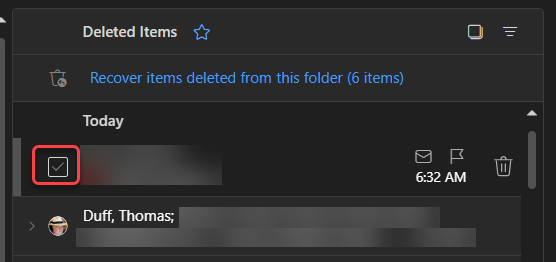
It used to be that in Outlook on the web, you’d see round circles that you could select to perform actions on an email item, such as deleting one or more emails. Microsoft has made a bit of a change in how that now displays and what you need to do to get the circles to appear. Here’s how it works now…

Episode 172 of the Microsoft 365 Pulse Roadmap webcast is now out on YouTube. Join Tamara Bredemus and myself as we cover this week’s updates.
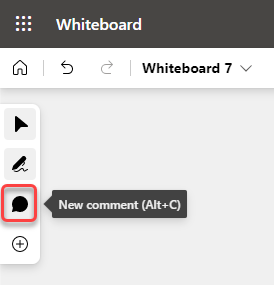
Microsoft has been hard at work recently in making sure that the Microsoft 365 offerings have consistent commenting capabilities. Whiteboard is the latest with the updated commenting feature, and here’s how it works…
 One Minute Office Magic