Episode 260 of the Microsoft 365 Pulse Roadmap webcast is now out on YouTube. Join Tamara Bredemus and Thomas Duff as we cover this week’s updates.
Learning new Microsoft Office tricks in "just a minute"
Episode 260 of the Microsoft 365 Pulse Roadmap webcast is now out on YouTube. Join Tamara Bredemus and Thomas Duff as we cover this week’s updates.
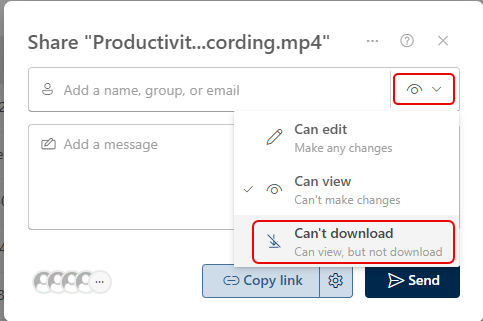
There are certain situations where you want to share a video with an audience so they can view it, but you don’t want them to be able to download or copy it. Now you can do that with the sharing option of Can view, but not download. Here’s how that works…

One of my colleagues in the Microsoft 365 world posted this on his blog today, and it makes me so happy… When you are going to a SharePoint site, often the Settings Gear icon in the upper-right corner takes 5 to 10 seconds to load. That is a pain when you really just want to get to permissions or site contents. But with this little hack, you can get the gear to show up instantly with a single click. Here’s how that works…

As you might have noticed, Microsoft Teams has a new Calendar experience that you’ve been able to toggle on and off. The new experience is designed to more closely mirror your Calendar experience in Outlook. Microsoft announced this morning that they will be removing the toggle switch in September, and at that point everyone will be in the new experience. Here’s the Microsoft announcement wording:
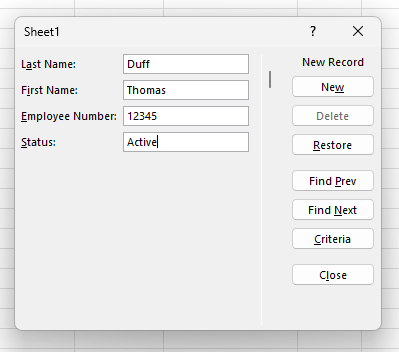
Here’s a new one I just learned about today… When entering data into an Excel table, I was used to just adding data to the cell, tabbing to the next cell, and repeating until I was done. If the table required horizontal scrolling, it could get a bit cumbersome. But then I learned you can use the built-in Data Entry Form in Excel to enter that data. Here’s how that works…
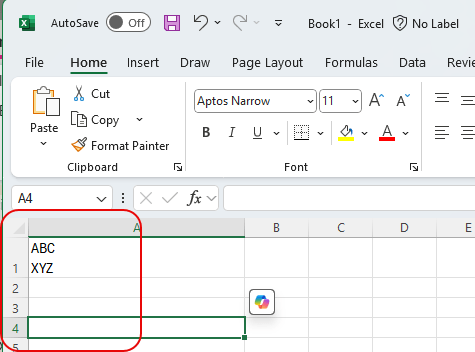
Not being an Excel guru (or maybe even a novice!), I have run into issues before where I have data in a cell and I want to have a line break within the cell to continue typing. However, when I hit Enter, it goes to the next cell. I finally learned how to keep that line break in the same cell, and I’ll share it with you now… and also help myself to reinforce that skill. 🙂 Here’s how it works…
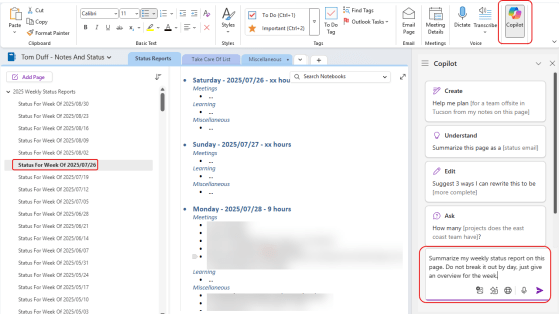
If you use OneNote, you no doubt have a lot of information locked away in there. However, it might be … More
Episode 259 of the Microsoft 365 Pulse Roadmap webcast is now out on YouTube. Join Tamara Bredemus and Thomas Duff as we cover this week’s updates.
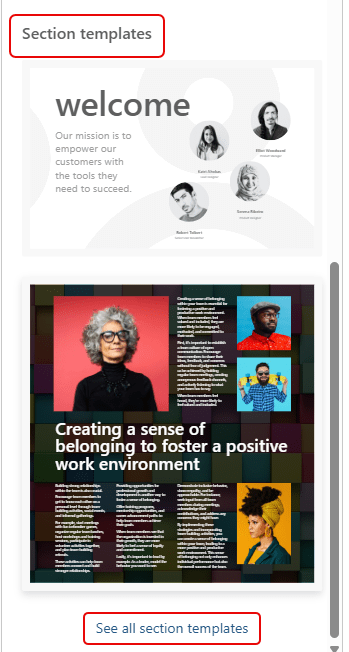
I had my mind blown away by Sandra today when she showed me a new feature in SharePoint pages… Section Templates! Now, you can design pages that look *really* awesome without having to be a design wiz. Here’s where they are and how they work and look…
 One Minute Office Magic