Microsoft has enhanced the Copilot Memory feature to use chat history and insights from what you do in Microsoft 365 to give you better and more relevant results. Here’s how to set it (or turn it off if you don’t want that)…
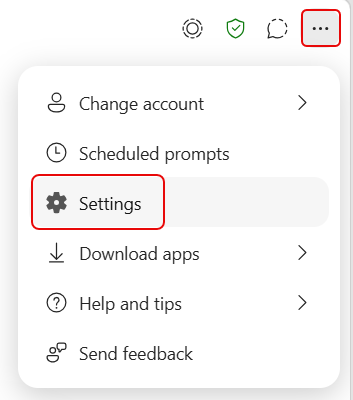
To check the setting, click on the ellipsis in the upper right corner of Copilot and select Settings:
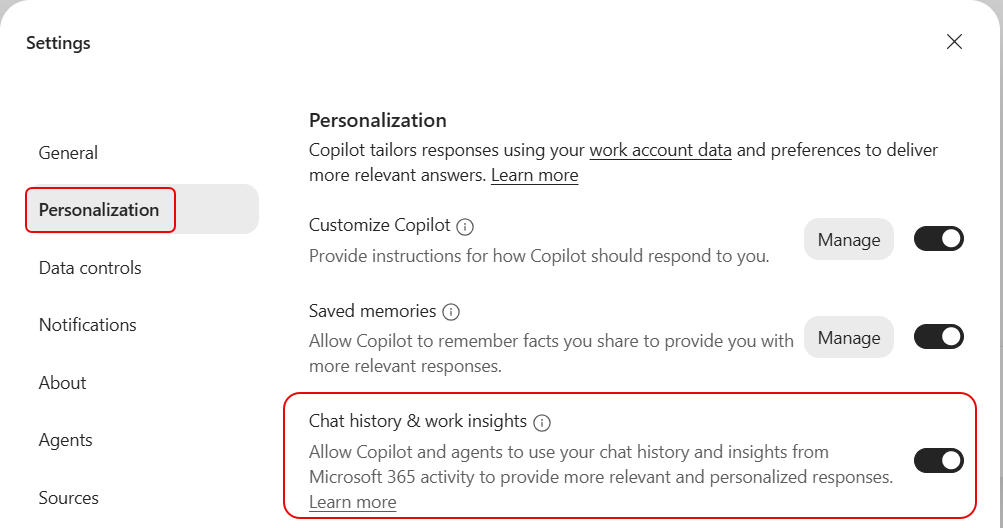
Chat history & work insights is the setting that will allow Copilot to learn from your history and M365 interactions. If for some reason you’re not comfortable with Copilot doing that, turn the toggle switch off so that it doesn’t gather that type of information:


