Up until now, you’ve had three options for opening files when you’re in Teams. You could open the file in Teams, the Browser, or the Desktop app. However, Microsoft is making a change in the default setting for opening files in Teams. Here’s the scenario…
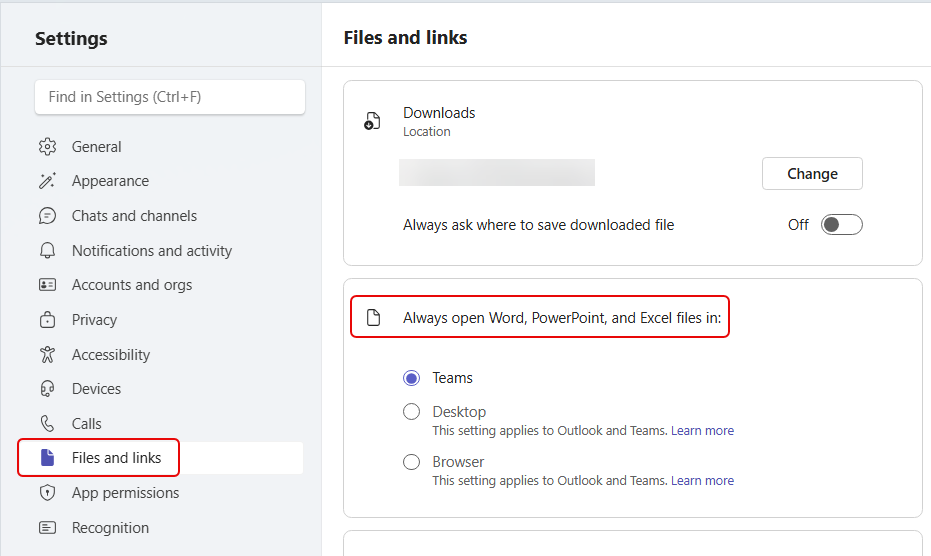
When you go into Settings for Teams, you’ll see the following:
When this change makes it to your Teams client, you may find that files are opening in the browser or the desktop app instead of Teams (if that’s what you had set as your default). This change will change your default to either browser or desktop automatically. However, you *can* go back in and change the default back to Teams.
Microsoft’s reasoning? “This change reflects customer feedback and ongoing improvements to file performance and consistency across Microsoft 365.”
I will confess that I don’t quite get this change… especially when they let you change it back. Regardless, now you know what happened if your default Teams file opening seems to have changed.


