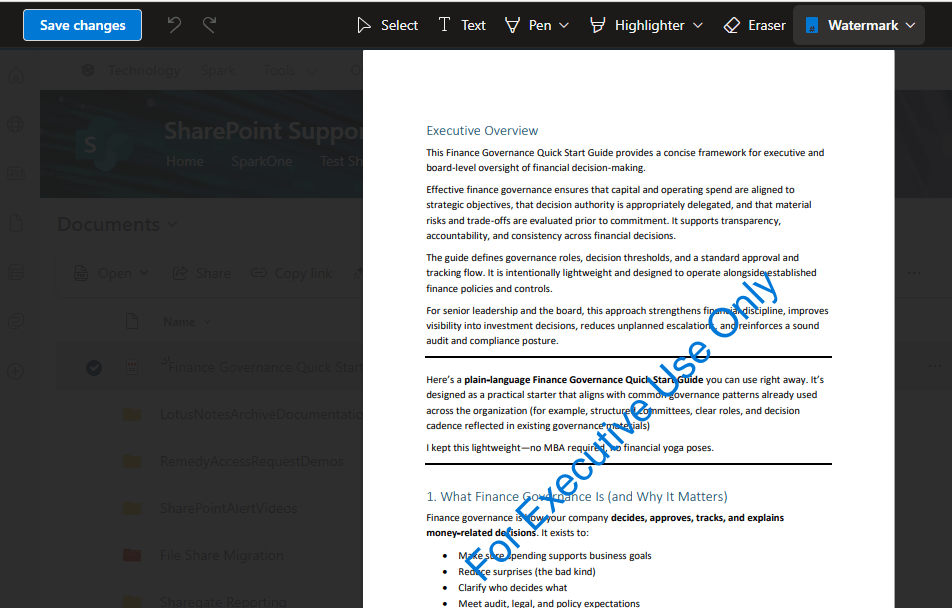
If you have a PDF file stored in a SharePoint site or your OneDrive, it’s really easy to add a watermark to the document without having to use any other 3rd party software. Here’s how that works…
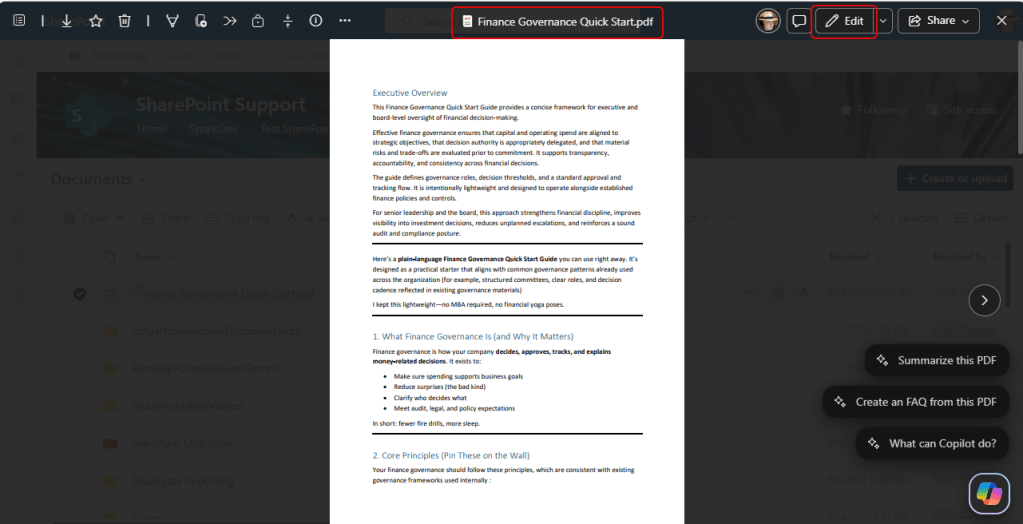
Here is a PDF file in a SharePoint site. To start the watermarking process, click the Edit button in the upper right corner:
In the dropdown for the Watermark button, click Add new:

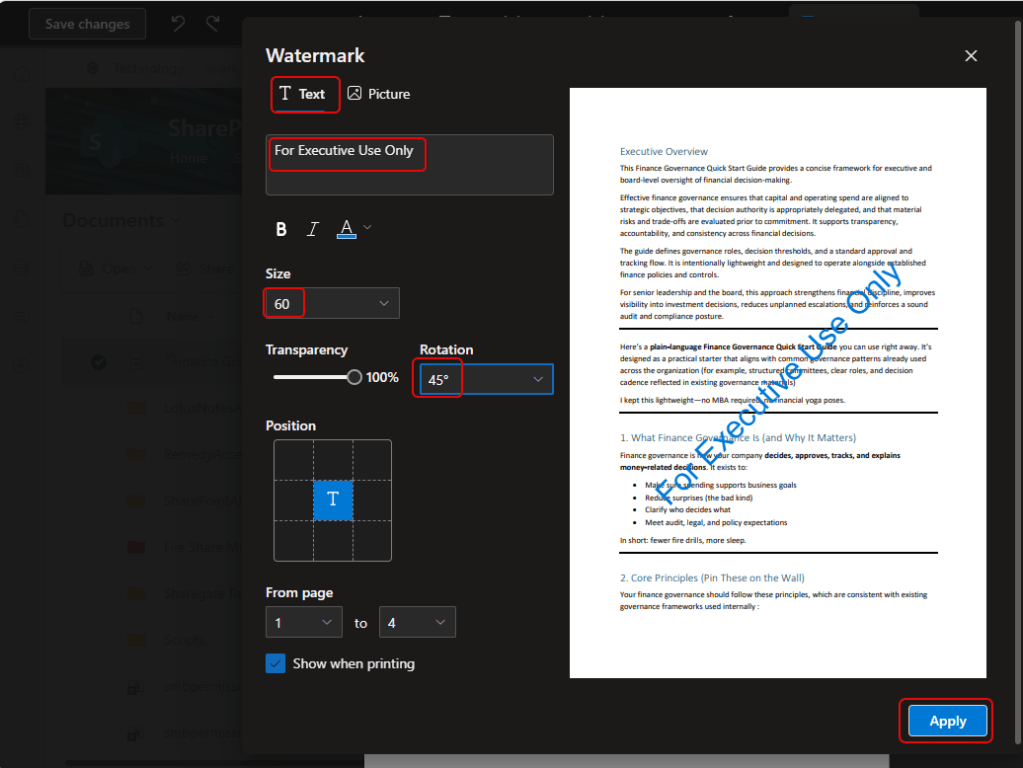
Here is where to set the options for what kind of watermark, what the text or image might be, the size of the text, what type of rotation, and where it should appear on the form. Once you have everything set, click Apply:
You now have a watermark that you didn’t have to create using alternative software: