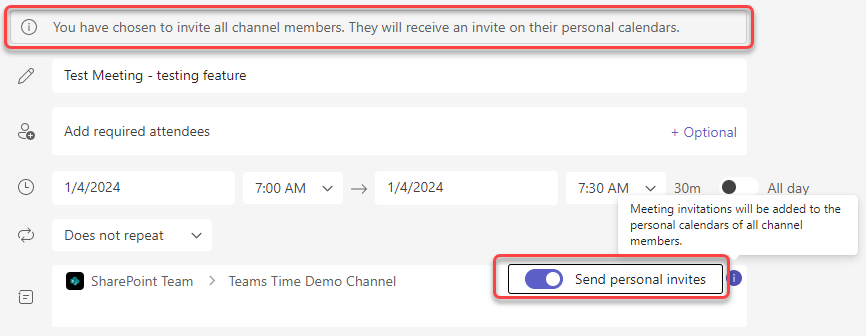
While I love using Microsoft Teams channel meetings, it’s always been a hassle to make sure the invites get to everyone associated with that Teams space. If you have a lot of members in the Team, you either had to use a workaround to get an email address for everyone, or you had to maintain a separate distribution list. That’s now a thing of the past… you can use the Send Personal Invites feature! Here’s how that looks…
When you set up a new meeting on the Teams calendar and choose to associate it with a Teams channel, you now have a new option titled Send personal invites. When you use the toggle switch to turn that on, everyone who is a member of that Team will get a personal calendar invite to the meeting:
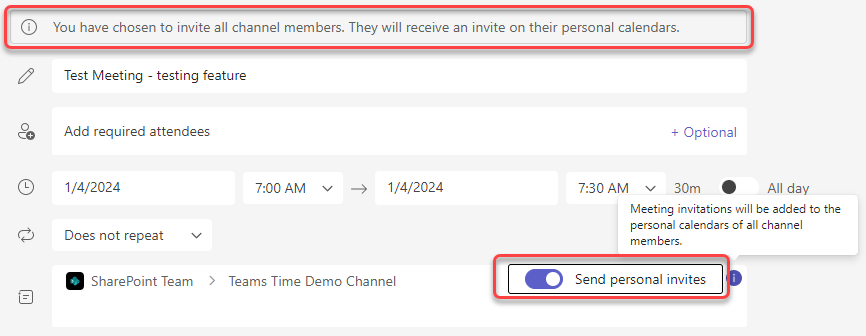
One thing to keep in mind… if you’re looking at the Teams calendar entry after you use this method to invite others, you will not see their names listed in the attendees area until they either accept or decline the meeting.
For more information on this feature, check out How to send meeting requests for Microsoft Teams Channel meetings.

 One Minute Office Magic
This only works with other domain users, does not work with external guest members.
LikeLike