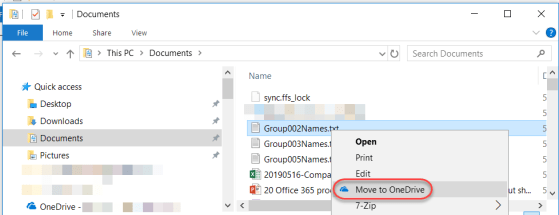
I heard about the Move to OneDrive feature a while back, and I’ve been waiting for it to show up in my Office 365 tenant… and now it’s there! When you have the OneDrive sync client installed, are using Windows File Explorer, and right-click on a file, you have an option to *move* it to OneDrive without having to drag and drop. Here’s how that works…
Tag: OneDrive
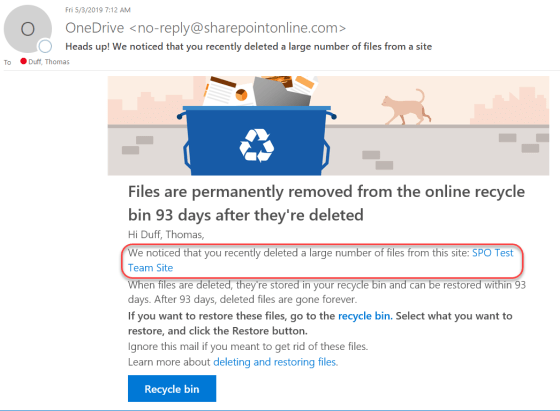
Getting notified when you do a “mass deletion” in SharePoint Online or OneDrive
It’s a nightmare of mine… someone pings me and says that hundreds of files are missing from a document library, and they’re not in the recycle bin either. If you’re lucky, you figure out who deleted the files, and often they didn’t realize they did that. Now in SharePoint Online and OneDrive, Microsoft will notify you via email if you’ve done a “mass deletion” of data. Here’s what happens…