Hiding the screen sharing bar in Microsoft Teams

In the new version of Microsoft Teams, you’ll see a new screen sharing bar across the top of your screen letting you know that… you’re sharing your screen. It also comes with a Stop sharing button. However, it’s not uncommon that you need to access something underneath that screen sharing bar, and there’s no way to move it around the screen to display what’s underneath it. Here’s a quick workaround to hide that bar and still be able to stop sharing your screen when you’re done…

Removing Activity items in new Microsoft Teams

If you’re like me, you may tend to use your Activity Feed in Teams like a To Do list of items you may need to follow up on. Unfortunately, that feed can get pretty cluttered pretty quickly, and it’d be nice to be able to actually remove items that are done or that aren’t relevant to anything you’re doing. Now you can! Here’s how that works…

Using Portrait Blur in new Microsoft Teams

I generally use the Blur feature when I’m using my camera on a new Teams call, as I don’t think people want to see the junk on top of my dressers. But the regular Blur is pretty blocky and doesn’t always look great. There’s now a more refined version of Blur called Portrait Blur, and I like it much better. Here’s how it works and looks…

Expanded view of the profile card in Microsoft Teams

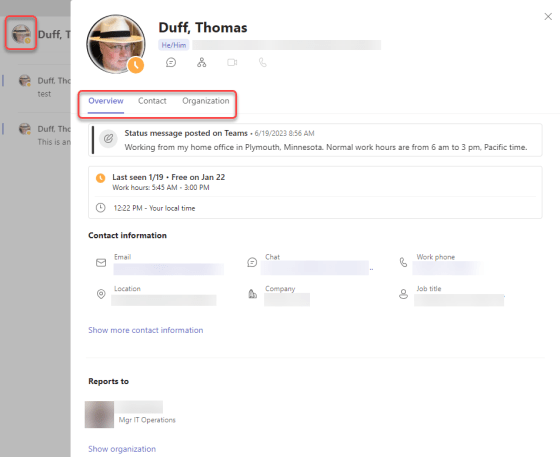
Microsoft has been working to provide more information on the Profile Card that appears if you click on someone’s picture in various Microsoft 365 applications. But while Outlook had the expanded Profile Card that showed the most information, Microsoft Teams wasn’t up to the same level. Now, you can click on a person’s profile picture in Teams and get the same expanded profile information that you’d find in Outlook. Here’s what it looks like…

Sending personal invites to a Teams channel meeting to everyone in that Team

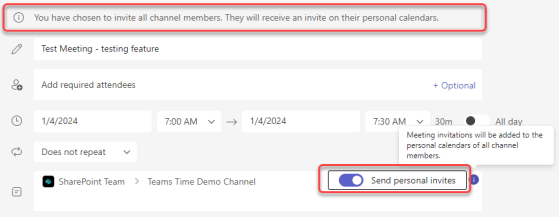
While I love using Microsoft Teams channel meetings, it’s always been a hassle to make sure the invites get to everyone associated with that Teams space. If you have a lot of members in the Team, you either had to use a workaround to get an email address for everyone, or you had to maintain a separate distribution list. That’s now a thing of the past… you can use the Send Personal Invites feature! Here’s how that looks…

Domain-specific searching in Microsoft Teams

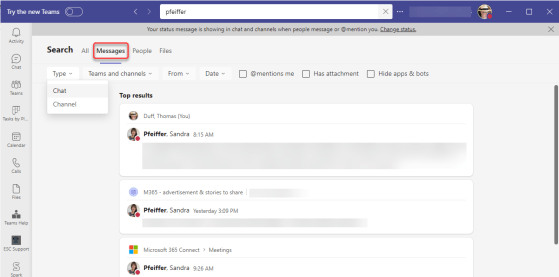
While you’ve been able to get search results in Microsoft Teams, you often got WAY more results than you wanted, and it was hard to narrow things down. Now with domain-specific searching, you can narrow down your search results in much the same way you narrow down search results in Microsoft 365. Here’s how that works…

Animated Backgrounds in Teams Meetings

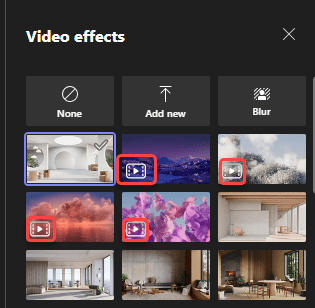
Microsoft Teams has rolled out a new feature that will probably make some people smile, and others unhappy. I’m not sure which one I am yet. It’s the ability to have animated backgrounds when you use your video camera in a Teams meeting. Before you run off and grab your favorite Star Trek warp speed video background, read on for the restrictions and cautions…