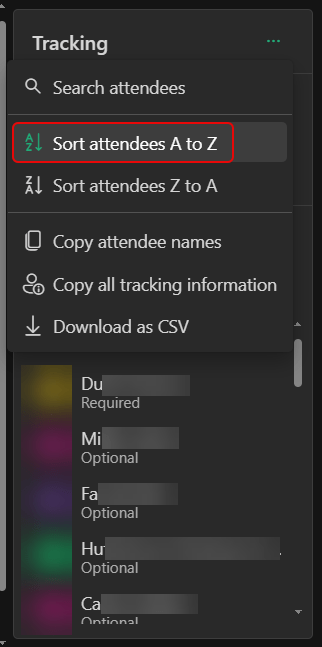
If you’re using Outlook on the web and you’re looking at the attendee list for a meeting, you’ll notice the name order is pretty much random (probably first come, first serve). That makes it really hard to wade through the list of people to look for someone. Now you can actually sort the list alphabetically. Here’s how that looks…
Tag: Meetings
Creating a meeting from a Microsoft Teams chat
When you’re having a group or one-on-one chat with someone in Microsoft Teams, you may get to a point where having an actual meeting is necessary. Here’s an easy way to create that meeting that automatically invites everyone in the chat…
Seeing the count of people in your Teams meeting
Getting a count of people in your Microsoft Teams meeting used to take a little bit of work, involving clicking on the People icon at the top of the screen. But now, Microsoft has made it much easier to see the count of people at a glance. Here’s what it looks like…
Testing your Microsoft Teams calling with /testcall
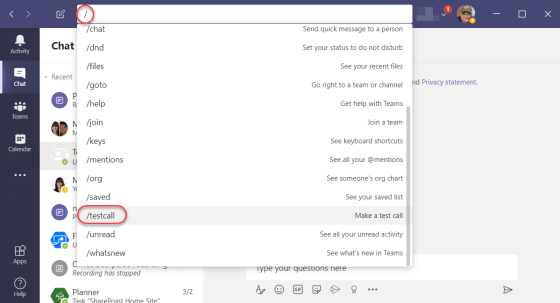
With the corona virus running rampant around the world, many people are working remotely from home in order to help stop the spread of the disease. Microsoft Teams has become a vital part of this remote working scenario, but not everyone is sure that they’re set up properly to have a call or a meeting using Teams. You can use the /testcall feature in Teams to see how your remote set-up is working. Here’s how to do that…