Turning off Activity Feed calendar alerts in Microsoft Teams

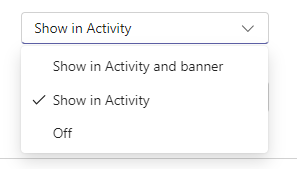
In the new Microsoft Teams, there’s a feature to have any calendar invites, updates, and cancellations show up in your Activity Feed. However, you might find that it adds a lot of clutter to your feed, making it harder to find the things that are more important. Here’s a way to shut down those calendar notifications so that your Activity Feed won’t get those posts…

Removing Activity items in new Microsoft Teams

If you’re like me, you may tend to use your Activity Feed in Teams like a To Do list of items you may need to follow up on. Unfortunately, that feed can get pretty cluttered pretty quickly, and it’d be nice to be able to actually remove items that are done or that aren’t relevant to anything you’re doing. Now you can! Here’s how that works…

Using Filters in your Teams Activity Feed

While the Activity Feed can give you a lot of good information across all your Teams spaces and chats, it can be hard to find just the items you are looking for. You can make that a lot easier by using the filters in the Activity Feed to narrow down the content you’re looking for. Here’s how that works…

Using your Activity Stream in Microsoft Teams

If you belong to a number of Microsoft Team workspaces, it can be a little overwhelming to keep track of all the conversations and activities going on in every one of the Teams you are part of. However, you can use the Activity Stream and the associated filter to make it easier to see just the items that are most important to you at that point in time. Here’s how that works…