Episode 189 of the Microsoft 365 Pulse Roadmap webcast is now out on YouTube. Join Tamara Bredemus, Adam Ochs, and myself as we cover this week’s updates.

Learning new Microsoft Office tricks in "just a minute"
Episode 189 of the Microsoft 365 Pulse Roadmap webcast is now out on YouTube. Join Tamara Bredemus, Adam Ochs, and myself as we cover this week’s updates.
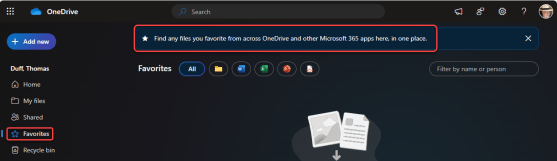
Throughout OneDrive and SharePoint, you probably have a number of “favorite” documents that you reference on a regular basis. But how do you keep them in a place where you can easily reference them on an ongoing basis? You can use the Favorites feature in OneDrive to “bookmark” those documents in a single list to refer back to them when needed. Here’s how that works…

A Microsoft 365 colleague posted a short while back about some new options for adding text overlays to images on a SharePoint Online page. These provide some interesting options for adding text to an image without having to necessarily use an image processing tool. Here’s how it works…
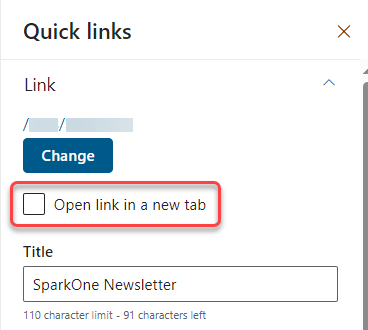
This has been a long time coming… 🙂 When using the Quick Links web part in a SharePoint Online page, you can now set whether the associated link should open in a new tab! Here’s how that works…

If you’re using Outlook on the web, you have a new feature that can be very useful. You can now choose to have meetings that you decline show up in your calendar, but not mark that time as busy. This is great when you want to be able to get back to a meeting invite that may have files or agenda information that you need to view at a later time. Here’s how that works…

Episode 188 of the Microsoft 365 Pulse Roadmap webcast is now out on YouTube. Join and myself as we cover this week’s updates.

Have you ever been in a situation where you need to minimize all your open screens for some reason… like someone walks into your office and shouldn’t see confidential information on your monitor? There’s a simple keyboard shortcut that will do exactly that…
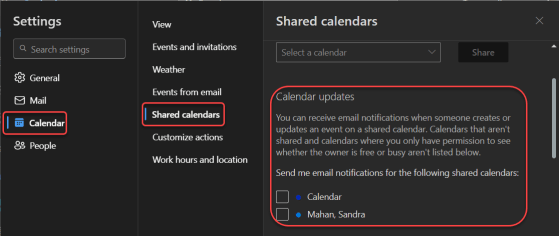
If you are part of a shared Outlook calendar, it can be frustrating to try and keep up with changes to that calendar that you didn’t make. Now, using the web-based Outlook calendar, you can access a new setting that will allow you to receive notifications as changes are made to that shared calendar. Here’s how to set that up…

Episode 187 of the Microsoft 365 Pulse Roadmap webcast is now out on YouTube. Join Tamara Bredemus and myself as we cover this week’s updates.
 One Minute Office Magic