So I just got my “Year In Review” stats for my https://oneminuteofficemagic.com site where I post all the Microsoft 365 tips and tricks…
Comparing two documents in Microsoft Word
I ran across this feature from a video by Dr. Mitin Paranjape. He showed how to use the Compare feature in Microsoft Word to automatically get a comparison of two documents without having to try and pick out the changes yourself. I wasn’t even aware of this feature (it’s been there forever), but I think it might become one of my favorite ones moving forward. Here’s how it works…
Microsoft 365 Pulse Roadmap webcast – Episode 192
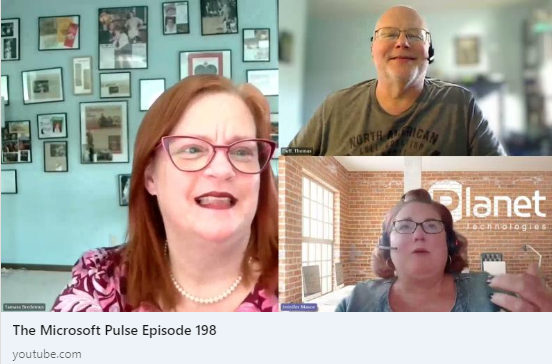
Episode 192 of the Microsoft 365 Pulse Roadmap webcast is now out on YouTube. Join Tamara Bredemus and myself as we cover this week’s updates.
Finding videos in Microsoft 365 Search
If you’re familiar with the Microsoft 365 Search bar at the top of all the M365 applications, you’ll know that once the results come back, there are filter options to narrow down the results, such as Files, Sites, People, etc. Recently, Microsoft added a new filter… Videos. This makes it easier to find that elusive video that’s stored somewhere on SharePoint or OneDrive. Here’s what that looks like…
Microsoft 365 Pulse Roadmap webcast – Episode 191
Episode 191 of the Microsoft 365 Pulse Roadmap webcast is now out on YouTube. Join Jennifer Mason, Adam Ochs, and myself as we cover this week’s updates.
Domain-specific searching in Microsoft Teams
While you’ve been able to get search results in Microsoft Teams, you often got WAY more results than you wanted, and it was hard to narrow things down. Now with domain-specific searching, you can narrow down your search results in much the same way you narrow down search results in Microsoft 365. Here’s how that works…
Using Layers in the Hero web part in SharePoint pages
If you’ve created SharePoint pages, you’ve probably used the Hero web part to display up to five windows of content. But Sandra showed me a variation of the Hero web part that I’ve never noticed before… layers! Layers gives you a different layout and the opportunity to have more context in each of the areas. Here’s how that works and looks…
Microsoft 365 Pulse Roadmap webcast – Episode 190
Episode 190 of the Microsoft 365 Pulse Roadmap webcast is now out on YouTube. Join Jennifer Mason, Tamara Bredemus, and myself as we cover this week’s updates.
New document library templates for SharePoint Online
Up to now, creating a new document library in a SharePoint Online site was something that was “bare bones” in nature. You had a couple of basic fields, and you had to build any additional metadata fields on your own. Now, Microsoft gives you some options in terms of document library templates you can choose from. These may be a good starting place for you when building out a new process. Here’s what they are…