Episode 243 of the Microsoft 365 Pulse Roadmap webcast is now out on YouTube. Join Jennifer Mason, Tamara Bredemus, and Thomas Duff as we cover this week’s updates.

Learning new Microsoft Office tricks in "just a minute"
Episode 243 of the Microsoft 365 Pulse Roadmap webcast is now out on YouTube. Join Jennifer Mason, Tamara Bredemus, and Thomas Duff as we cover this week’s updates.

When you put an image in a SharePoint page banner, you have the ability to change the focal point of how the image is positioned. But you only see a narrow slice of the image, and you have to drag the focal point around without really seeing the full image content. The focal point feature has now changed, and you see the entire image when you’re selecting a focal point. That makes it a lot easier to get the effect you want, and here’s how that looks and works…

It’s possible this is something you’ve never given much thought to, but the attendance reports in Microsoft Teams meetings currently are stored indefinitely. However, Microsoft has made a policy change and now the attendance report for a Teams meeting will have a one-year retention period. Following is the Microsoft notice for this change, and what you’ll need to do in order to retain attendance reports prior to November 1st, 2024…

Episode 242 of the Microsoft 365 Pulse Roadmap webcast is now out on YouTube. Join Tamara Bredemus and Thomas Duff as we cover this week’s updates.
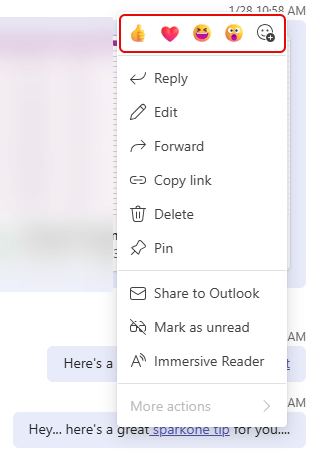
In Microsoft Teams chats and conversations, you’ve been able to hover over a message and head to the upper-right corner for the emoticons and the ellipsis for more options. Now you can get the whole package of emoticons and options by right-clicking on the message. Here’s how that looks…
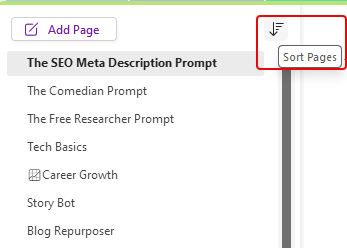
A question that is often asked is how to sort pages in a OneNote section. You can always drag and drop the pages in whatever order you want, and you can create new pages under an existing page by right-clicking on the existing page. But what if you want to sort the entire list alphabetically or by created order. You can do that by using the Sort icon at the top of the list of pages. Here’s how…
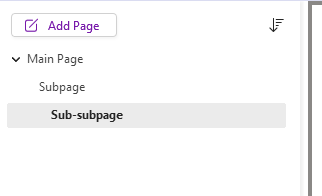
When you’ve been using a software package for a long time, you get set in your ways about what it can and cannot do. Somewhere along the way, I became certain that you could only have one level of subpages in a Microsoft OneNote section. I even told a group that during a demo. Someone was kind enough to let me know that you could make a sub-subpage! I wasn’t the only person on the call that wasn’t aware of that feature, so I’m sharing it here “just in case” you didn’t know it either…
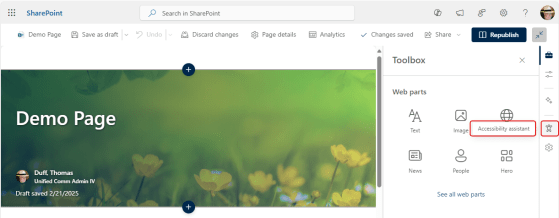
Making sure your SharePoint pages and content are accessible for the widest possible audience is important. However, few people are well-versed in accessibility guidelines and what to look for to make pages and content accessible to people who may have vision difficulties. Microsoft now has an Accessibility Assistant on SharePoint pages, and it makes the task of checking for accessibility issues much easier. Here’s how that works…
Episode 241 of the Microsoft 365 Pulse Roadmap webcast is now out on YouTube. Join Tamara Bredemus, Adam Ochs, and Thomas Duff as we cover this week’s updates.
 One Minute Office Magic