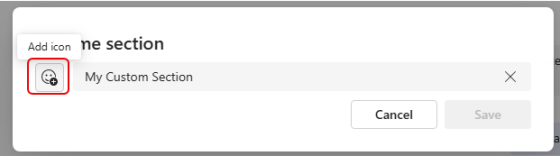
If you use custom sections in your Microsoft Teams client, it can get a little difficult to quickly pick out which custom section name you’re looking for. Now it’s a bit easier, as you can use emojis in those names. Here’s how that looks…
Learning new Microsoft Office tricks in "just a minute"
If you use custom sections in your Microsoft Teams client, it can get a little difficult to quickly pick out which custom section name you’re looking for. Now it’s a bit easier, as you can use emojis in those names. Here’s how that looks…
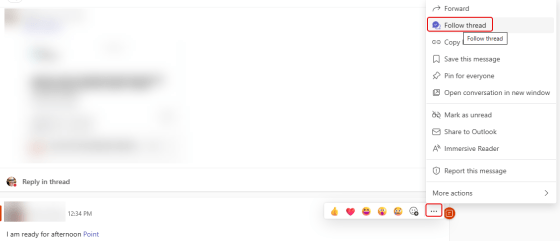
In Microsoft Teams, you will see a Followed Threads option in the Activity pane. This automatically shows you any Teams conversations you’re part of when looking at the Teams option. But you can also use that to follow threads where you’re not explicitly mentioned. Here’s how that works…
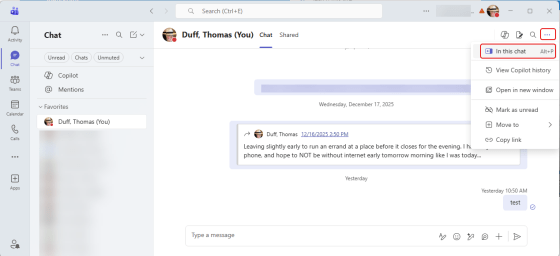
Have you ever been in Microsoft Teams looking for something that you know you chatted with a colleague about, and you’re having a hard time scrolling through all the chat content to find that particular file or link? If you use the chat pop-out icon in a Teams chat, you’ll have a much easier time finding what you’re looking for. Here’s how that works…
I’m guessing that there will be a number of readers that will have the most important question… What is Sway? For those who don’t know, it’s a Microsoft presentation tool that allows you to present and navigate content in unique ways. However, most people prefer the tried and true PowerPoint approach, and Sway has never really taken off. But for those who have drank the Sway Kool-Aid, they love it. This is a heads up that Microsoft is retiring the Windows desktop app version of Sway, and your only option for ongoing use is the browser version.

In the world of AI, things move fast and furious. Following close on the heels of GPT-5.1 becoming the default in Copilot, you now have the ability to let Copilot use the latest and greatest Large Language Model (LLM)… GPT-5.2. Here’s how you can use that…
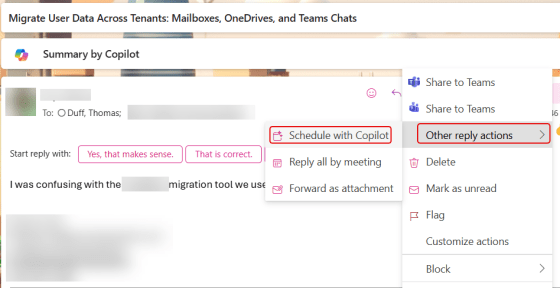
One thing I really dislike doing is trying to turn a lengthy email thread into a meeting. You have to find all the people who were involved in the thread, try to find a time that works for *most* of the people, try to somehow come up with a summary and agent… But with Copilot, you can let it do most of the heavy lifting for you, turning email threads into cohesive meetings with little effort. Here’s how that works…

It’s been a long time since there’s been any significant changes to the user interface of a SharePoint document library. Microsoft decided to update the layout and make it a bit more “OneDrive-like” in terms of layout and filters. Here’s what it now looks like and how it works…

While you’ve been able to forward messages from Microsoft Teams for some time, there was always a problem in trying to get the context of the message. All you saw was the forwarded message and that was it. Now when you forward a message, the recipient also gets a link to the message so that you can see the surrounding context. Here’s how that works…
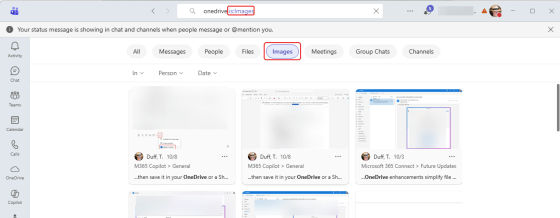
You’re probably used to using the search feature in Microsoft Teams to find words and such in various chats and channels. But now you can also search for images. Here’s what that looks like…
 One Minute Office Magic